
Keyboard shortcuts
Keyboard shortcuts available in OneComme
Keyboard shortcuts
From the top-right menu "・・・" > "Keyboard shortcuts", you can view a list of available keys (9.2+).
The list shows only the keys available with your current plan and settings ("Stocked comments" requires PRO, and "Add to waiting list" requires Viewer-participating System to be enabled).
Open windows
Open each window (9.2+).
| Window | Windows | Mac |
|---|---|---|
| Templates | Ctrl + Shift + 1 | ⌘ + 1 |
| Viewer-participating System | Ctrl + Shift + 2 | ⌘ + 2 |
| Setlist | Ctrl + Shift + 3 | ⌘ + 3 |
| Stream Schedule | Ctrl + Shift + 4 | ⌘ + 4 |
| Poll | Ctrl + Shift + 5 | ⌘ + 5 |
| Commenters | Ctrl + Shift + 6 | ⌘ + 6 |
| Timestamps | Ctrl + Shift + 7 | ⌘ + 7 |
On Mac, you can also open each window from the "Window" menu in the menu bar. Remote View, Dummy Commenter, dictionary, analysis, search, Plugins, Stocked comments, and Gifts, which have no key assigned, are also listed in this menu.
Comment actions
Hover over a comment and press the key.
| Action | Windows | Mac |
|---|---|---|
| Add a bookmark | Alt + B | ⌥ + B |
| Copy a comment | Alt + C | ⌥ + C |
| Open in Google Translate | Alt + G | ⌥ + G |
| Open User Page | Alt + O | ⌥ + O |
| Pinning | Alt + P | ⌥ + P |
| Stocked comments [PRO] | Alt + S | ⌥ + S |
| Add to waiting list | Alt + W | ⌥ + W |
| Remove | Alt + D | ⌥ + D |
| Exclude from speech | Alt + M | ⌥ + M |
| Block | Alt + Q | ⌥ + Q |
"Add to waiting list" is available when Viewer-participating System is enabled.
View
Zoom the UI in or out.
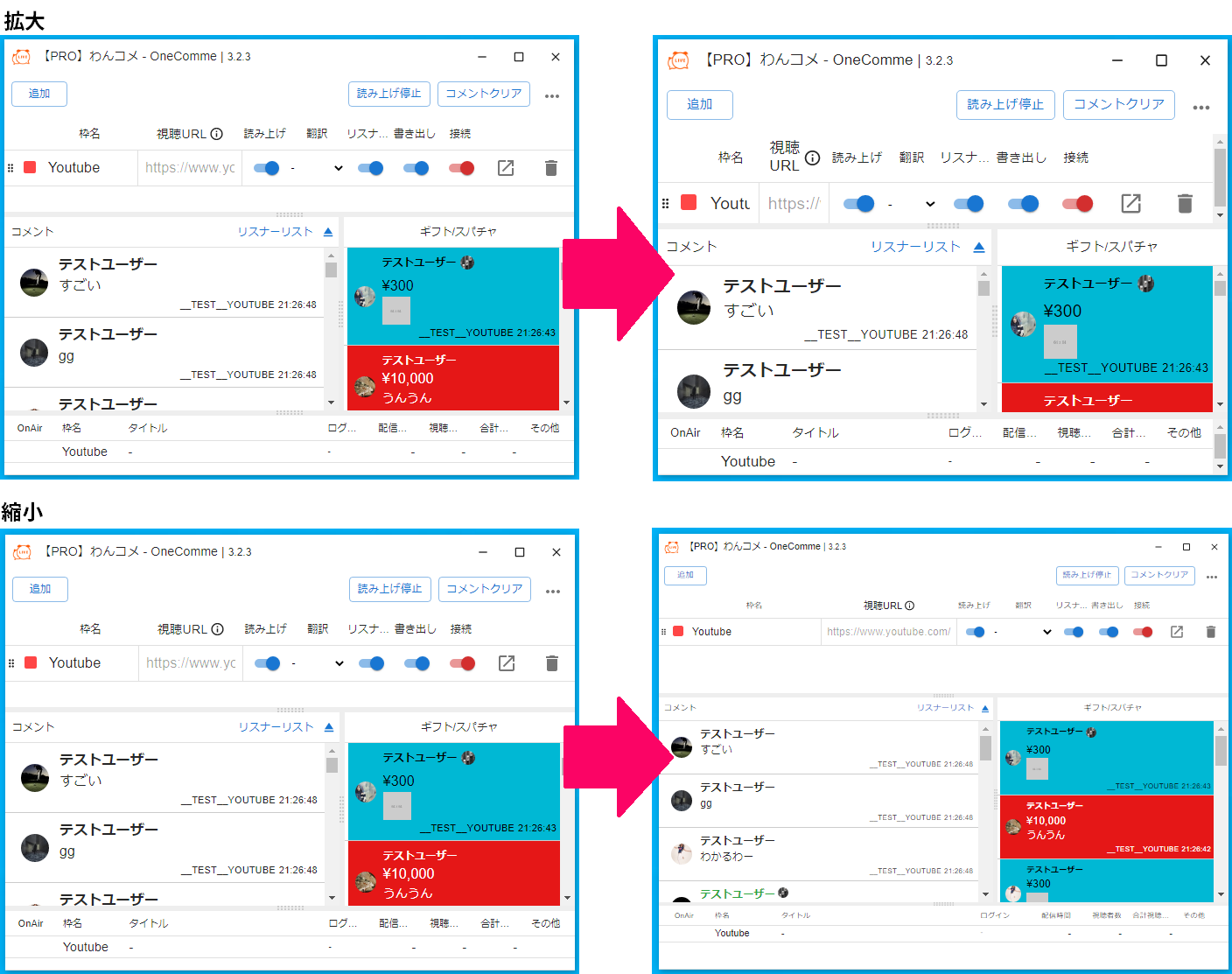 Zoom InAddStop speechClear commentsStream NameStream URLYouTubeCommentsCommentersGift/SuperChatTestUserAmazingTestUserTestUserStream NameTitleYouTubeTestUserYeah yeahOthersZoom OutAddStop speechClear commentsStream NameStream URLYouTubeCommentsCommentersGift/SuperChatTestUserAmazingTestUserTestUserTestUserStream NameTitleYouTubeOthersAddStop speechClear commentsStream NameWatchCommentsCommentersGift/SuperChatTestUserAmazingTestUserTestUserTestUserStream NameTitleOthersYouTubeStop speechClear commentsStream NameSpeechYouTubeCommentsGift/SuperChatTestUserAmazingTestUserTestUserTestUserYeah yeahTestUserI get itTestUserTestUserStream NameYouTubeTitleLogged InOthers
| Action | Windows | Mac |
|---|---|---|
| Zoom in | Ctrl + +(plus) | ⌘ + +(plus) |
| Zoom out | Ctrl + -(minus) | ⌘ + -(minus) |
| Reset zoom | Ctrl + 0(zero) | ⌘ + 0(zero) |
※Depending on your keyboard layout, you may also need to press Shift. Example: Ctrl + Shift + +(plus)
Other
| Action | Windows | Mac |
|---|---|---|
| Show or hide comment search | Ctrl + F | ⌘ + F |
| Save report file | Ctrl + Shift + R | ⇧ + ⌘ + R |
Show or hide comment search
Show or hide the comment search bar.
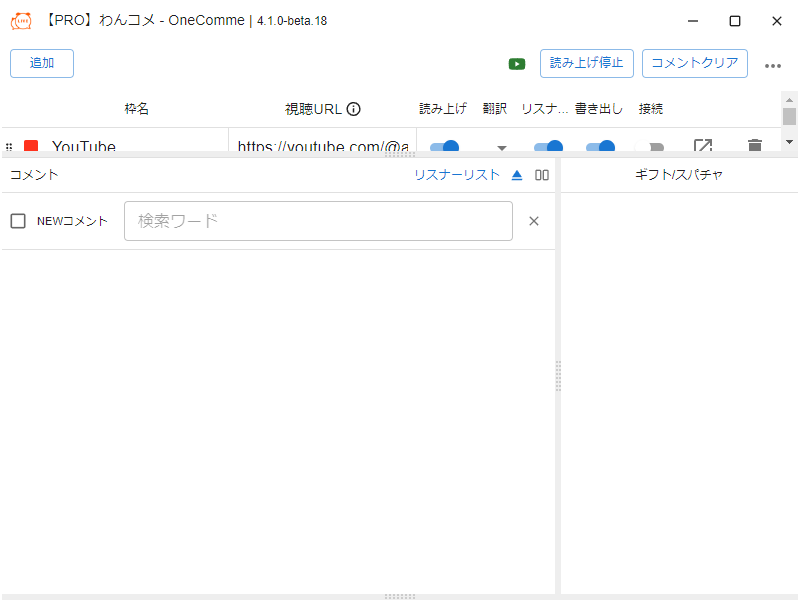 AddStop speechClear commentsStream NameCommentsGift/SuperChatNew CommentSearch for...
- New Comment - Shows new comments
- Search for... - Shows comments containing the specified word
- x - Clears the search and closes the search bar
Save report file
Saves a report file for bug reports and similar purposes (9.2+). Choose a save location, save the file, and attach it to the Forum or Discord (same as the top-right menu "・・・" > "Support" > "Save report file").
On Mac, you can also create it from the "Support" menu in the menu bar.