
Keyboard shortcuts
Keyboard shortcuts available in OneComme
Search and filter comments
Press ctrl(cmd)+f to show the comment search bar
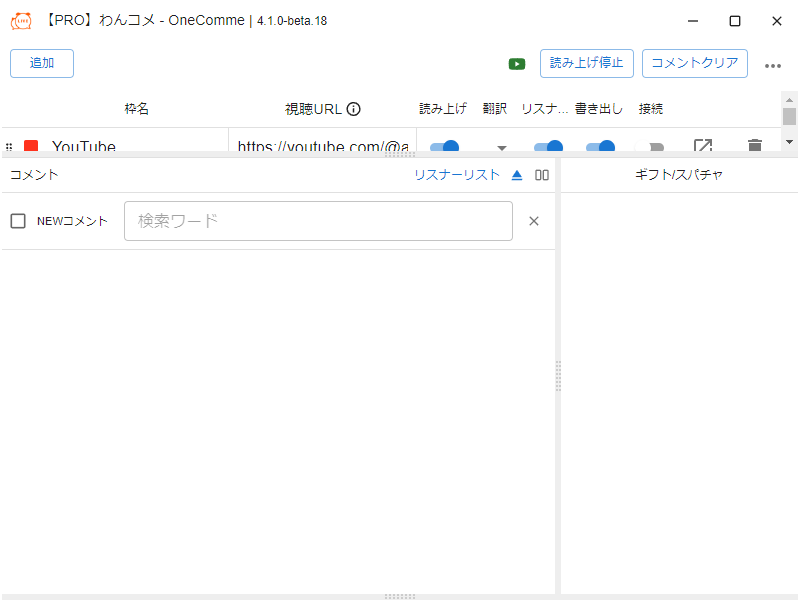 AddStop speechClear commentsStream NameCommentsGift/SuperChatNew CommentSearch for...
- New Comment - shows new comments
- Search for... - shows comments containing the specified word
- x - clears the search and closes the search bar
Zoom in and out
You can zoom the UI size in and out
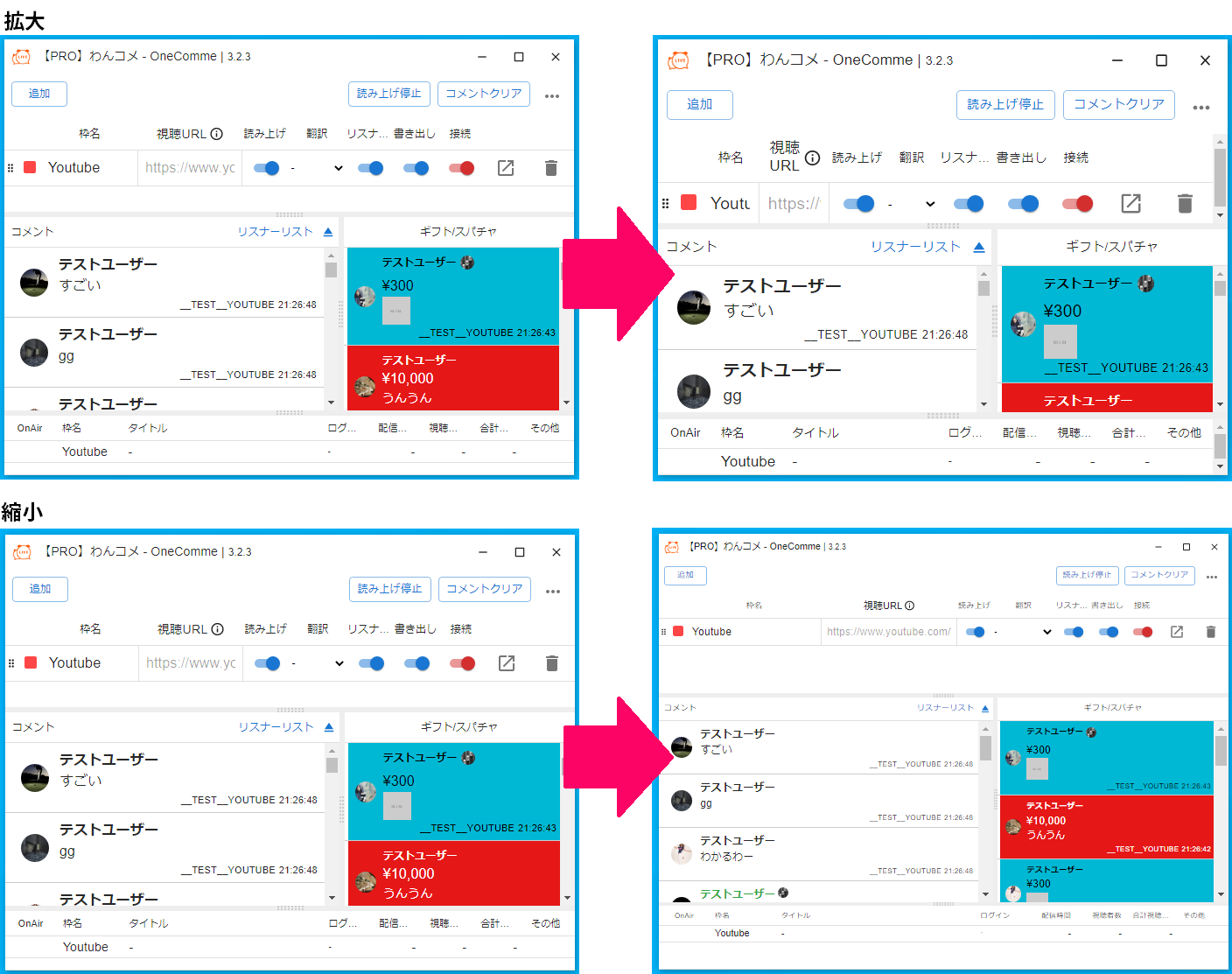 Zoom InAddStop speechClear commentsStream NameStream URLYouTubeCommentsCommentersGift/SuperChatTestUserAmazingTestUserTestUserStream NameTitleYouTubeTestUserYeah yeahOthersZoom OutAddStop speechClear commentsStream NameStream URLYouTubeCommentsCommentersGift/SuperChatTestUserAmazingTestUserTestUserTestUserStream NameTitleYouTubeOthersAddStop speechClear commentsStream NameWatchCommentsCommentersGift/SuperChatTestUserAmazingTestUserTestUserTestUserStream NameTitleOthersYouTubeStop speechClear commentsStream NameSpeechYouTubeCommentsGift/SuperChatTestUserAmazingTestUserTestUserTestUserYeah yeahTestUserI get itTestUserTestUserStream NameYouTubeTitleLogged InOthers
| Item | Description | OS | Key |
|---|---|---|---|
| Zoom in | Zooms in the UI size | Windows | Ctrl + +(plus) |
| Mac | Command + +(plus) | ||
| Zoom out | Zooms out the UI size | Windows | Ctrl + -(minus) |
| Mac | Command + -(minus) | ||
| Reset | Resets the UI size | Windows | Ctrl + 0(zero) |
| Mac | Command + 0(zero) |
※ Depending on your keyboard layout, you may need to press Shift together with the other keys
Example: Ctrl + Shift + +(plus)