
What is PRO
For those who want more advanced features and distinctive comment displays
PRO features
PRO adds exclusive templates, more convenient tools, additional WordParty on-screen effects and settings, and lifts the limits on several features, powering up OneComme in many ways
"VTS Object" to show drops inside VTube Studio (9.2+)
We added "VTS Object" to the WordParty effect types, which displays drops as scene items in VTube Studio
You can set collision detection against the model's outline, so effects such as drops piling up on your avatar can be achieved without layering a browser source
For details, see "[PRO] VTubeStudio integration with comment effects"
WordParty conditions based on Super Chat color or events (9.2+)
We added two trigger conditions: "Match Super Chat color" (YouTube only), which filters by the color (amount tier) of YouTube Super Chats and Super Stickers, and "Match event", which covers raids, sub gifts, membership renewals, and more
Multiple events can be selected, so you can reuse the same on-screen effect for raids and sub gifts, for example
Deck added to Remote View (9.2+)
We added the "Remote Deck" to Remote View, which lets you run WordParty on-screen effects and OneComme actions with the press of a button
Even without a StreamDeck, you can control things during a stream from a smartphone or tablet
For details, see "[PRO] Remote View"
Stream schedule list (9.2+)
We added "Stream schedule" to the top-right menu. You can check the schedules of authenticated accounts in a list and easily copy announcement text according to your copy format
Supported platforms: YouTube, NicoNicoLive, Twitch, Whowatch, bilibili, TwitCasting
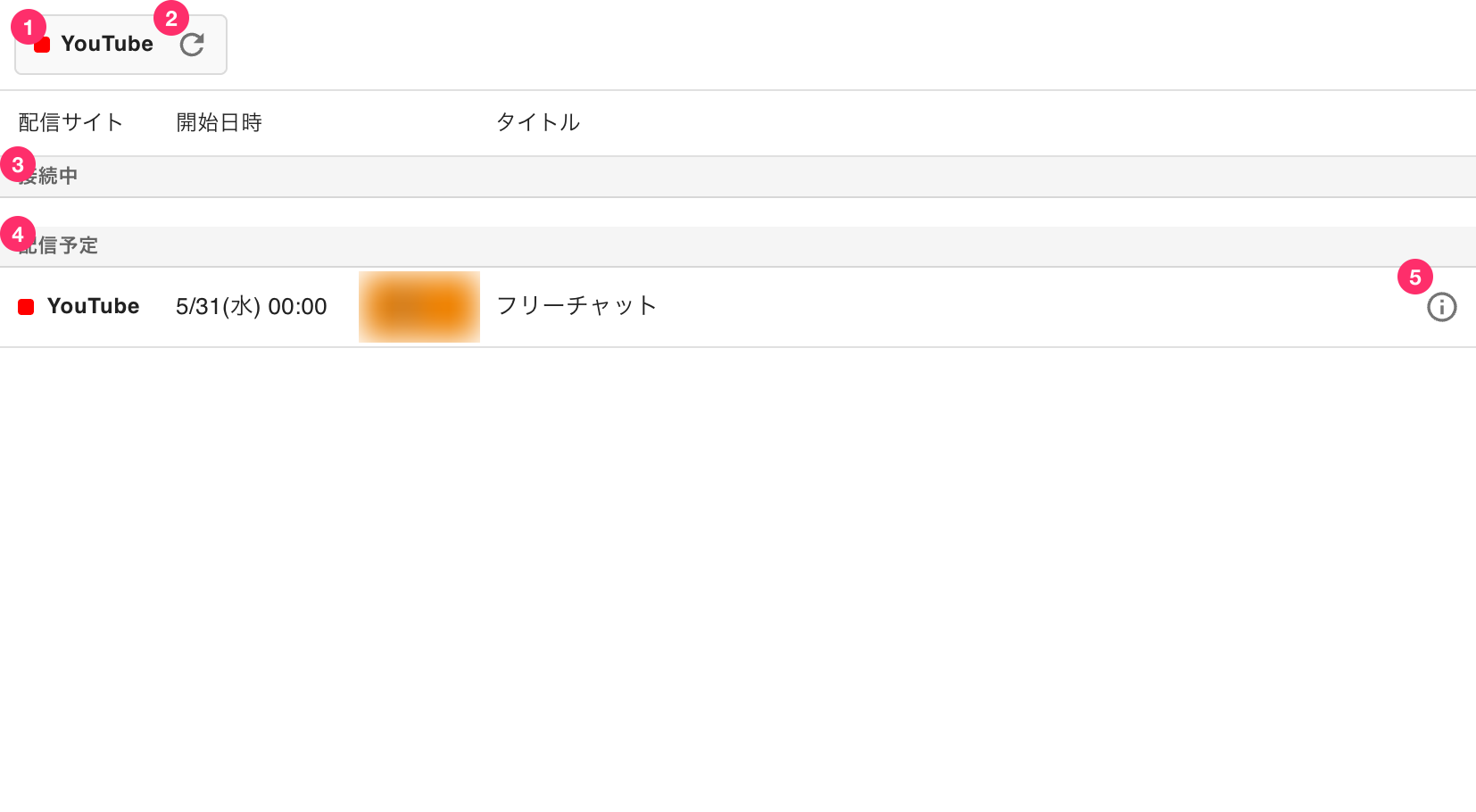 YouTubeSelect PlatformsStart Date And TimeTitleFree Chat
Use the platform switch buttons to choose which platforms to display, and copy the Streaming information from the ⓘ icon at the right end of each row (the format can be changed in the copy format under "Settings > UI")
English-to-katakana transcription for better Speech accuracy (9.1+)
This feature is available only when OneComme's display language is set to Japanese. It converts English words in comments to katakana readings before reading them aloud
Comments containing English are read with more natural pronunciation
※ Supported only on Apple Silicon Macs and Windows (Intel Macs are not supported)
"Ambient" effects that keep moving in the background added to WordParty (9.1+)
We added "Ambient", a particle effect that gently and continuously moves at the very back of the screen
Choose from 21 Patterns with different motifs such as water drops, bubbles, paper, and stars, and add color to your stream screen at all times without needing comments or events as a Trigger
For details, see "WordParty"
"Lyric" comment display template added to showcase comments (9.1+)
We added "Lyric", a new comment display template that showcases comments in a large format, like a lyric music video
Text styles also include Presets for three-dimensional stickers with large borders
YouTube Jewel conditions added to WordParty match conditions (9.1+)
We added two trigger conditions to WordParty: "Matching Jewels", which targets YouTube's Jewel tips, and "Excluding Jewels", which fires only when the item is not a Jewel (the two cannot be selected at the same time)
Special templates
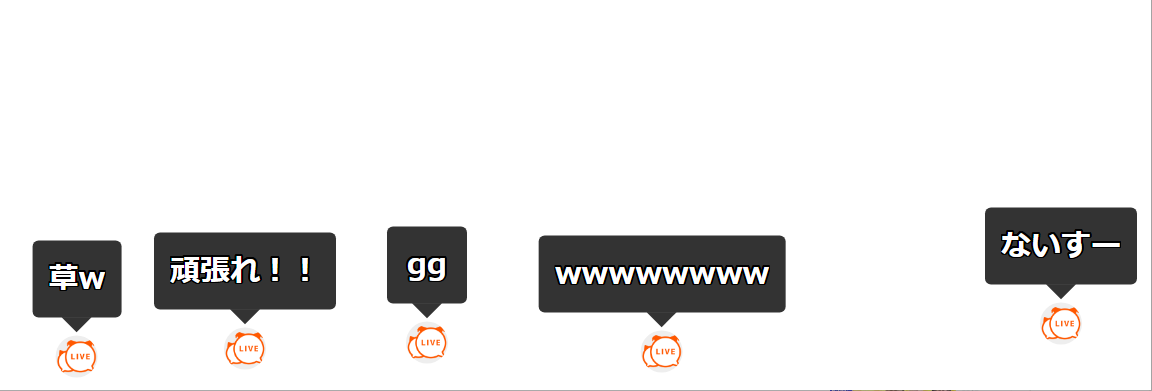
Use special templates that can't be achieved with simple CSS customization, such as vertical writing or random placement
Remote View
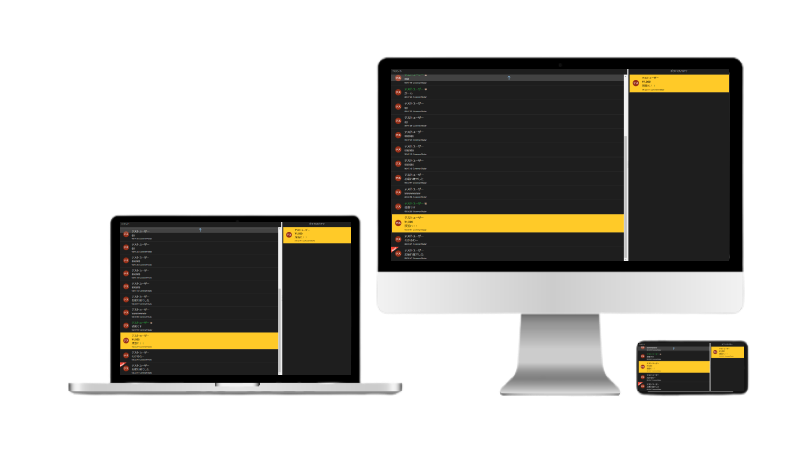
View and operate the comments retrieved by the app in real time from a PC, smartphone, tablet, or other device on the same network
Even while playing a game or streaming in full screen, you can view comments, and from the remote side you can also translate, enter Nicknames and notes, and delete comments
Poll (4.0+)
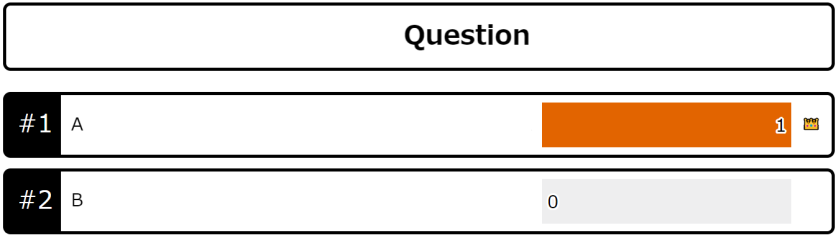
Run multiple-choice polls and quizzes with up to eight options, or request-style polls where users create their own options
For multiple-choice polls, you can choose between "one vote per person" and "multiple votes allowed"
For quizzes, you can set the correct answer for each question, and results and rankings are tallied and generated automatically
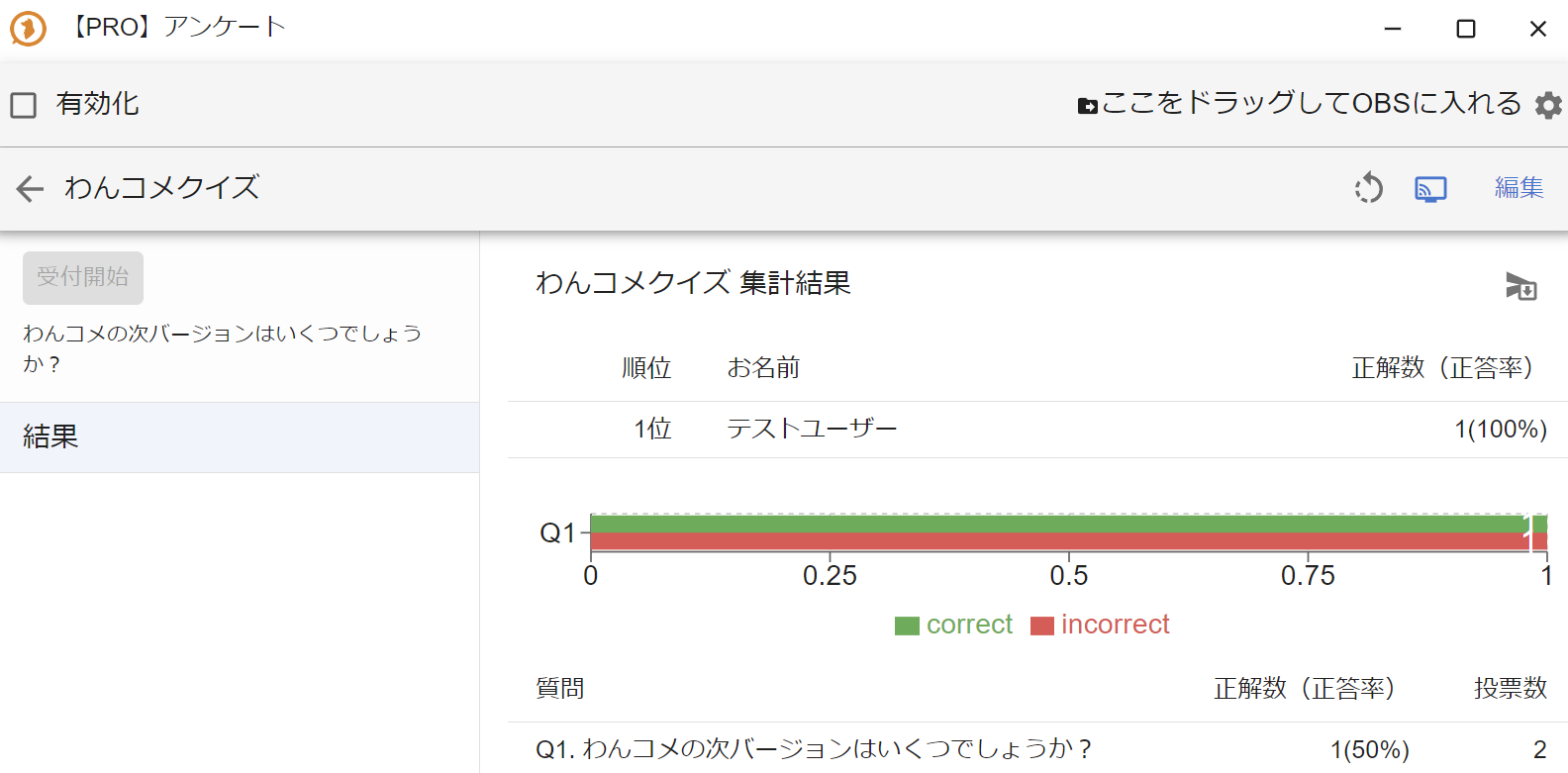 PRO] PollOneComme QuizStart acceptingWhat will be OneComme's next version?ResultDrag and Drop this into OBS sceneEditOneComme Quiz ResultsRankNameTestUserCorrect answers (accuracyDescription of pollQ1. What will be OneComme's next version?Correct answers (accuracyVotes
Request-style polls also include a feature to merge similar options that were written differently
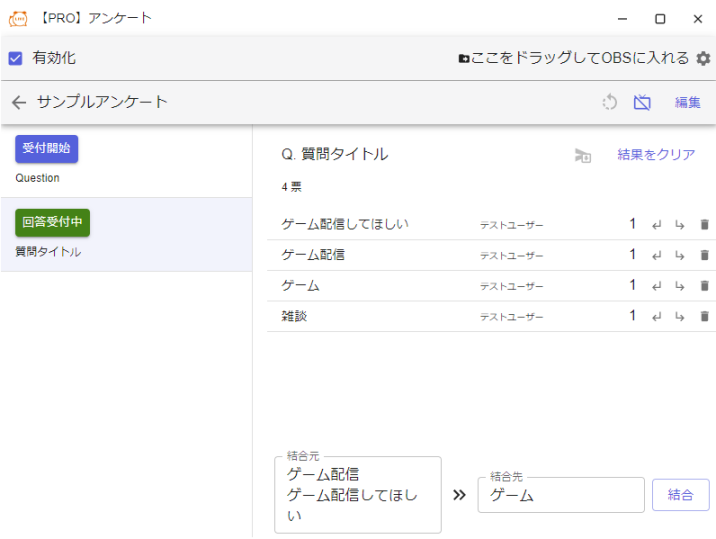 PRO] PollEnabledSample pollTitle of pollwaDrag and Drop this into OBS scene naEditQ. Question titlePlease stream gamesGame StreamGamesClear resultTestUserTestUserTestUserTestUserGame StreamPlease stream gamMerge toGamesMerge
Use them to choose or predict games, or as a request list for singing streams
More on-screen effects and settings for WordParty (4.2+)
PRO adds exclusive WordParty on-screen effects, fixed objects that drops bounce off, collision detection integrated with VTubeStudio, and other settings
It also enables finer conditions, such as limiting to YouTube Reactions or Channel Points only
More powerful Speech and Sound Effects settings
Adds Speech and Sound Effects settings for specific conditions such as Gifts, Channel Points, and first-time viewers
Speech Settings example
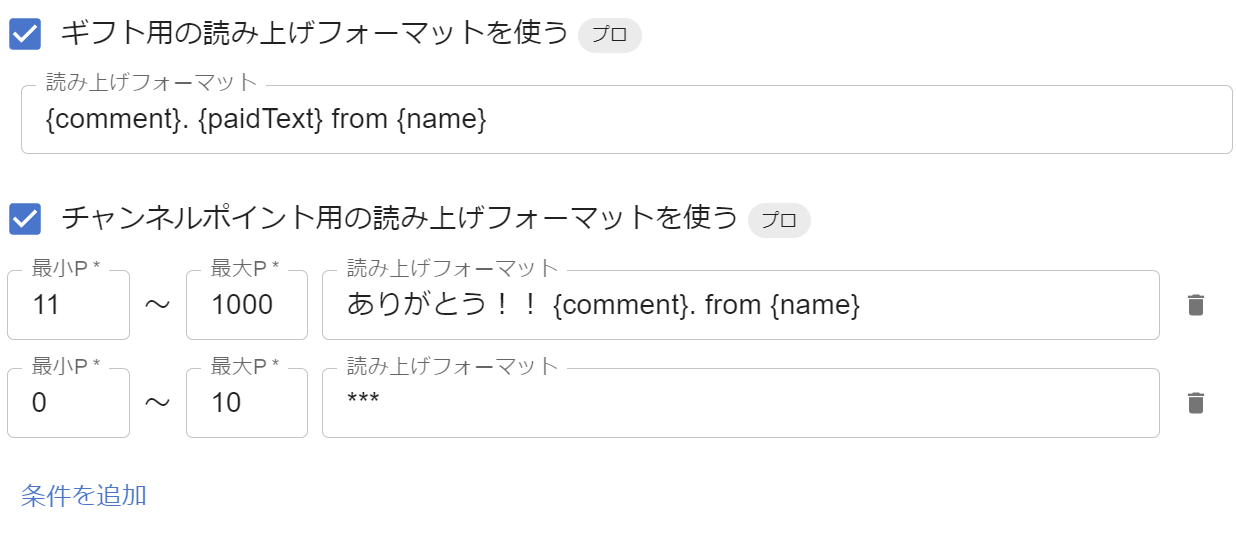 Syntax for speechUse Syntax for speech for Channel Points ProMin pointMin pointMax pointMax pointSyntax for speechThank you!! {comment}. from {name}Syntax for speechAdd conditions
Sound Effects settings example
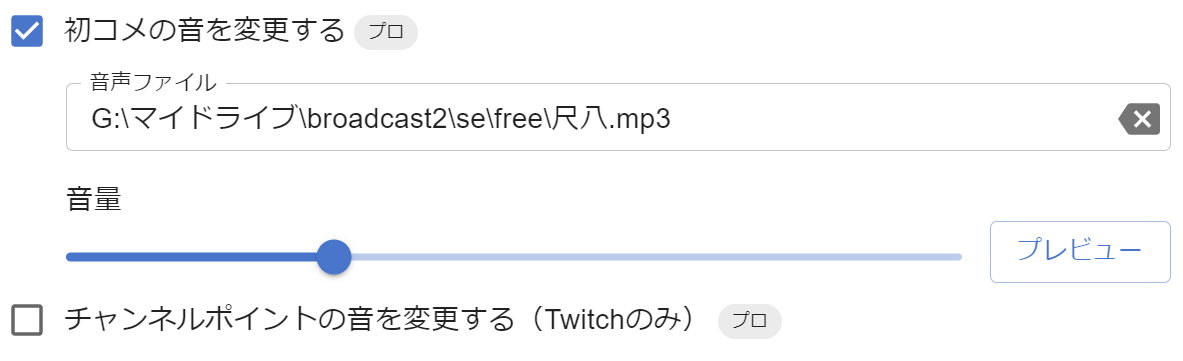 Audio fileVolumeChange Channel Points sound (Twitch onlyPROPreview
Unlimited comment analysis and Setlist
In the free version, comment analysis is limited to one search condition and up to 1,000 comments, but PRO removes these limits
The Setlist limit of one is also removed in PRO, so you can create as many as you like
Stocked comments to keep selected comments
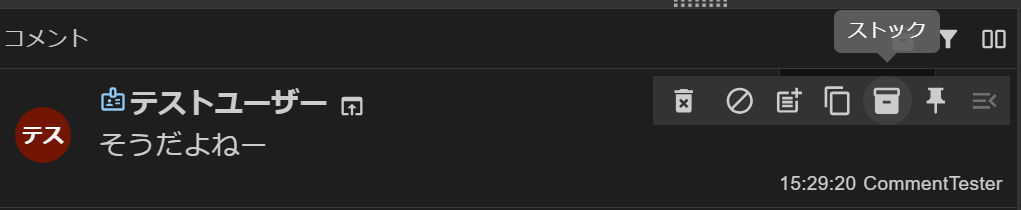 CommentsTesThat's rightStocked comments
Select and record (stock) helpful or heartwarming comments from viewers
Stocked comments remain even after you close OneComme, so they're ideal for looking back on later
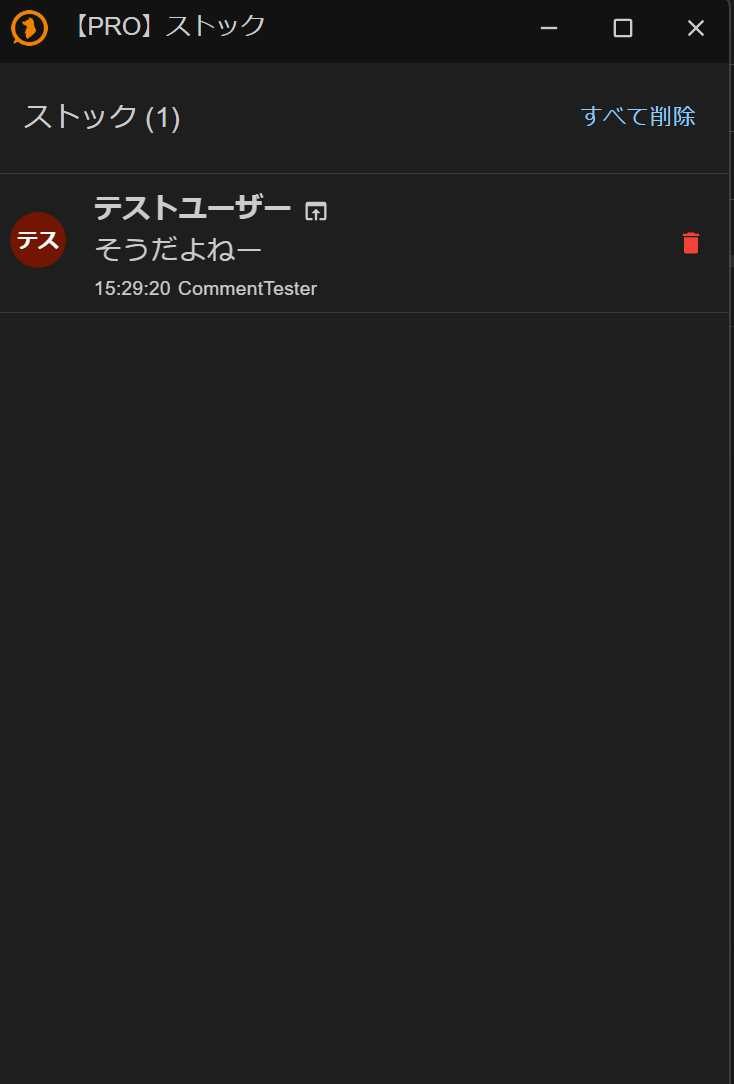 PRO] Stocked commentsTesThat's rightClear stock
Participation management insights for Visualization of participation status
Check statistics and participant lists from when you used participation management
You can see how many people were able to join this time, how many couldn't, and who joined or didn't
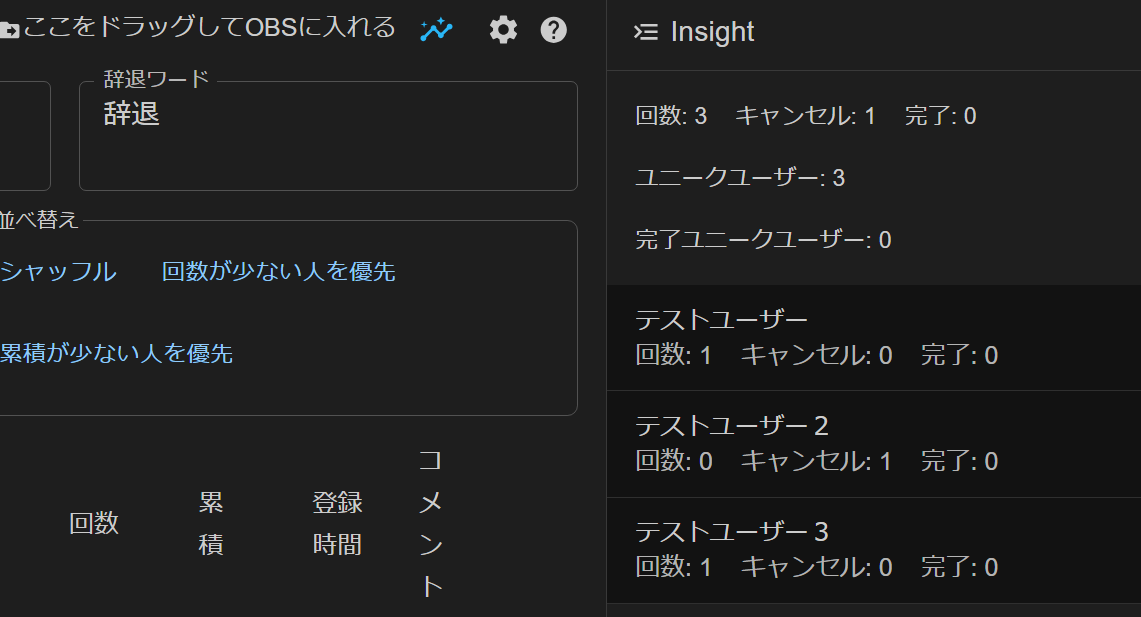 Drag and Drop this into OBS sceneKeyword for giving upDeclineShuffle and SortShuffleParticipation times low to highSort with cumulative times(low to high)TimesAddTimeCompleted: 0Unique users: 3Completed unique users: 0TestUserCompleted: 0TestUserTestUser
Tools to support creating Timestamps for YouTube streams
Use a tool that lets you create Timestamps while streaming
Depending on your settings, you can also accept Timestamps from users, so moderators can register points worth recording in real time
If your schedule is decided in advance, create a Talk Script to insert Timestamps in real time with a single button
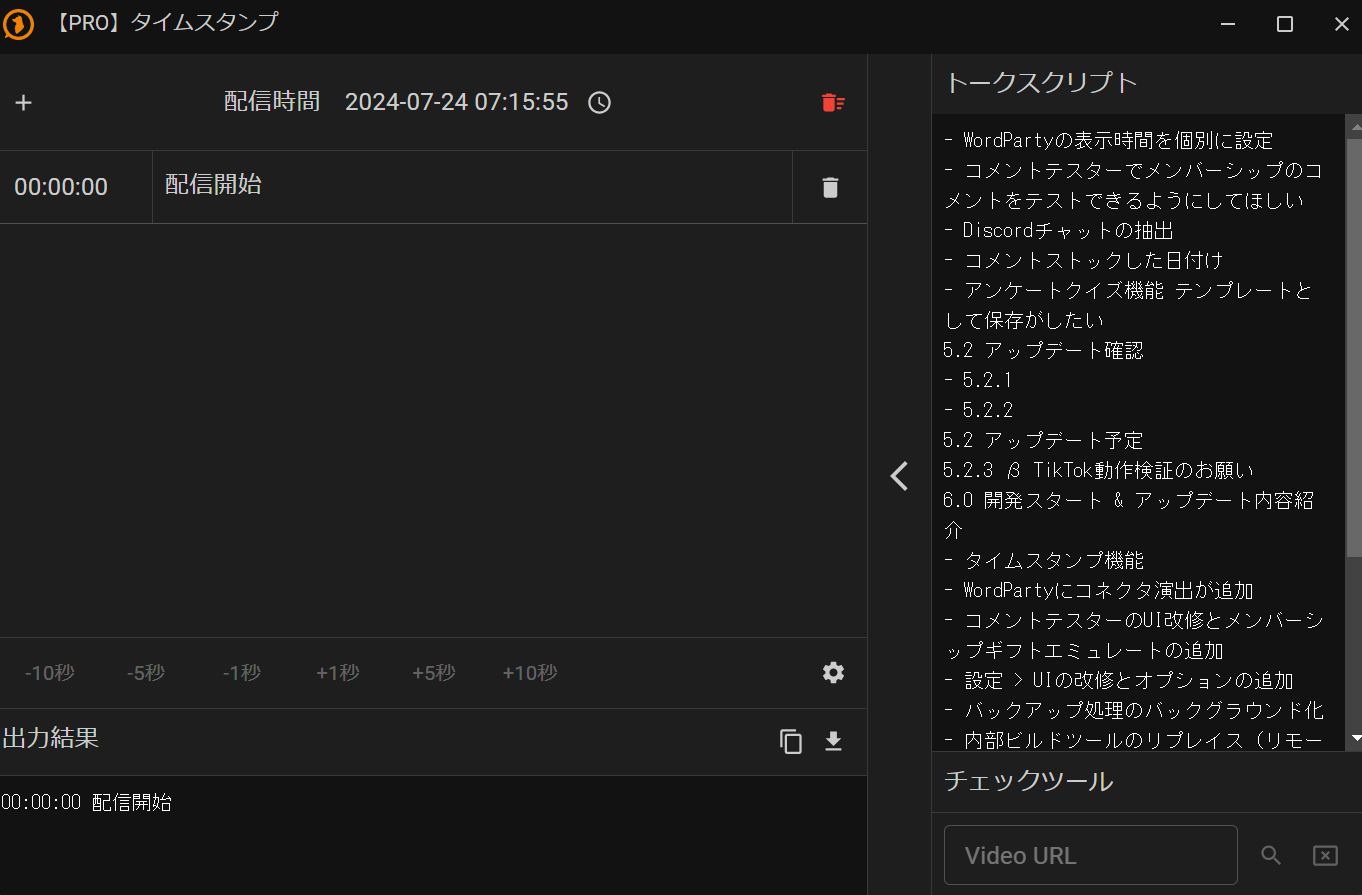 PRO] TimestampsStreaming timeOutput ResultTalk ScriptWant to test membership comments in Dummy CommenterDate comment was stockedWant to save Poll Quiz feature as a templateCheck 5.2 update5.2 update schedule6.0 dev start & update summaryConnector effect added to WordPartyAdded gift emulationMade Backup process run in backgroundReplace internal build tools (remoCheck Tool
StreamDeck Plugins
Use the StreamDeck plugin to run many OneComme features directly from buttons and dials
Sending Reactions, running WordParty, and operating participation management and Setlist can all be done with a single touch, making stream operation more efficient
To run actions, OneComme PRO must be running (9.2+)
Download the latest plugin from the FANBOX StreamDeck tag list
How to get PRO
Open "License" from the top-right menu "・・・" in OneComme and complete FANBOX authentication to start using PRO right away without entering a key (recommended)
You can still register by entering a License Key as before
For details, see "How to get a License"