
What is PRO?
For those who want more advanced features and a more distinctive comment display
Features of PRO
PRO comes with exclusive templates, even more convenient tools, additional WordParty effects and settings, and the removal of several feature limits — in short, a wide range of upgrades across the board
English-to-katakana transliteration for more accurate speech (9.1+)
This feature, available only when OneComme's display language is set to Japanese, converts English words in comments to katakana readings before reading them aloud
This allows Speech to sound more natural even for comments that mix in English words
Note: Supported only on Apple Silicon Macs and Windows (not supported on Intel Macs)
Added "Ambient", a WordParty effect that keeps moving in the very back layer (9.1+)
Added "Ambient", a particle effect that continuously sways in the very back layer of the screen
You can choose from 21 different patterns with motifs such as water droplets, bubbles, paper, and stars, adding constant color to your stream screen even without being triggered by comments or events
For details, see "WordParty"
Added "Lyric", a comment display template that makes comments stand out (9.1+)
Added "Lyric", a new comment display template that showcases comments in large text, like a music video with lyrics
The text style options also include a sticker-style preset with a three-dimensional look and thick outlines
Added a WordParty matching condition specific to YouTube Jewels (9.1+)
Added two new WordParty trigger conditions: "Matching Jewels", which targets YouTube's "Jewel" Super Chat-style gifts, and "Excluding Jewels", which triggers only for non-Jewel items (these two cannot be selected at the same time)
Special templates
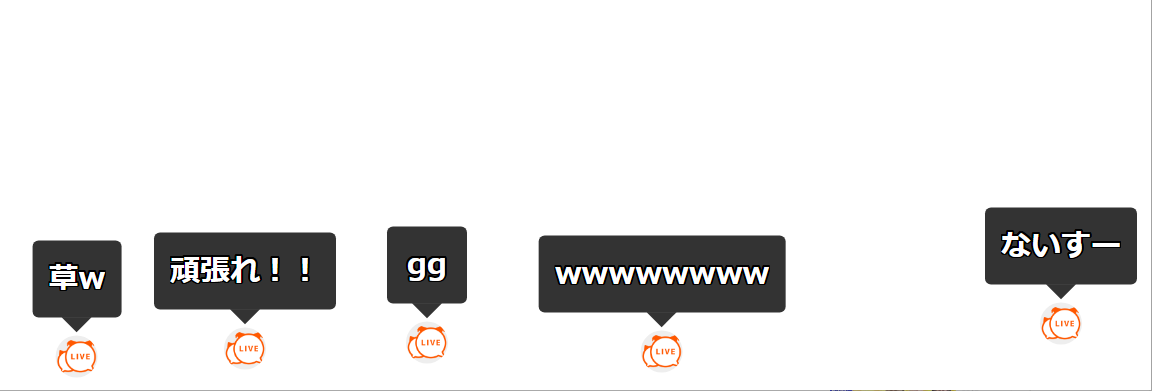
Use special templates that go beyond what simple CSS customization can achieve, such as vertical text or randomized placement
Remote View
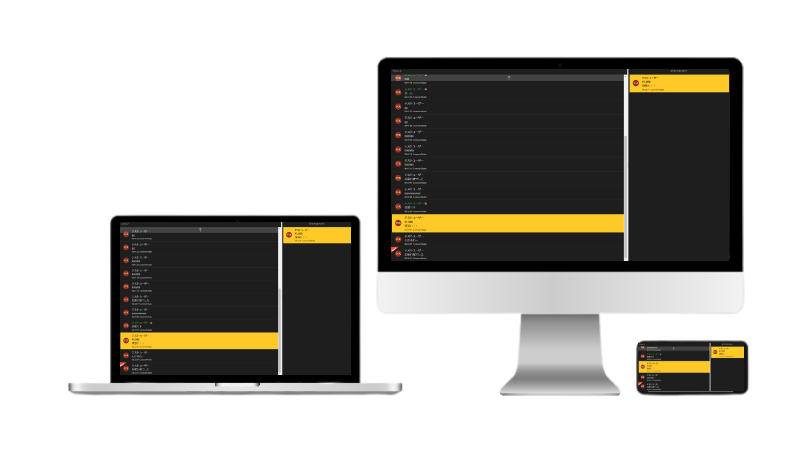
View and operate comments retrieved by the app in real time from another PC, smartphone, or tablet on the same network
Even while playing a game or streaming in fullscreen, you can still view comments, and you can also enter translations, nicknames, and notes, or delete comments, from the remote side
Poll feature (4.0+)
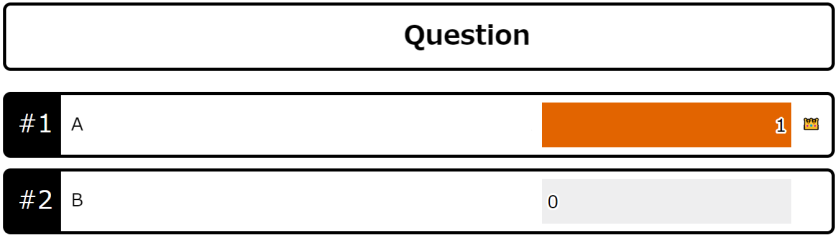
Run multiple-choice polls or quizzes with up to 8 choices, or request-style polls where users can submit their own choices
For multiple-choice polls, you can also choose between "one vote per person" and "multiple votes allowed"
For quizzes, you can set a correct answer for each question, and results and rankings are generated automatically based on the answers
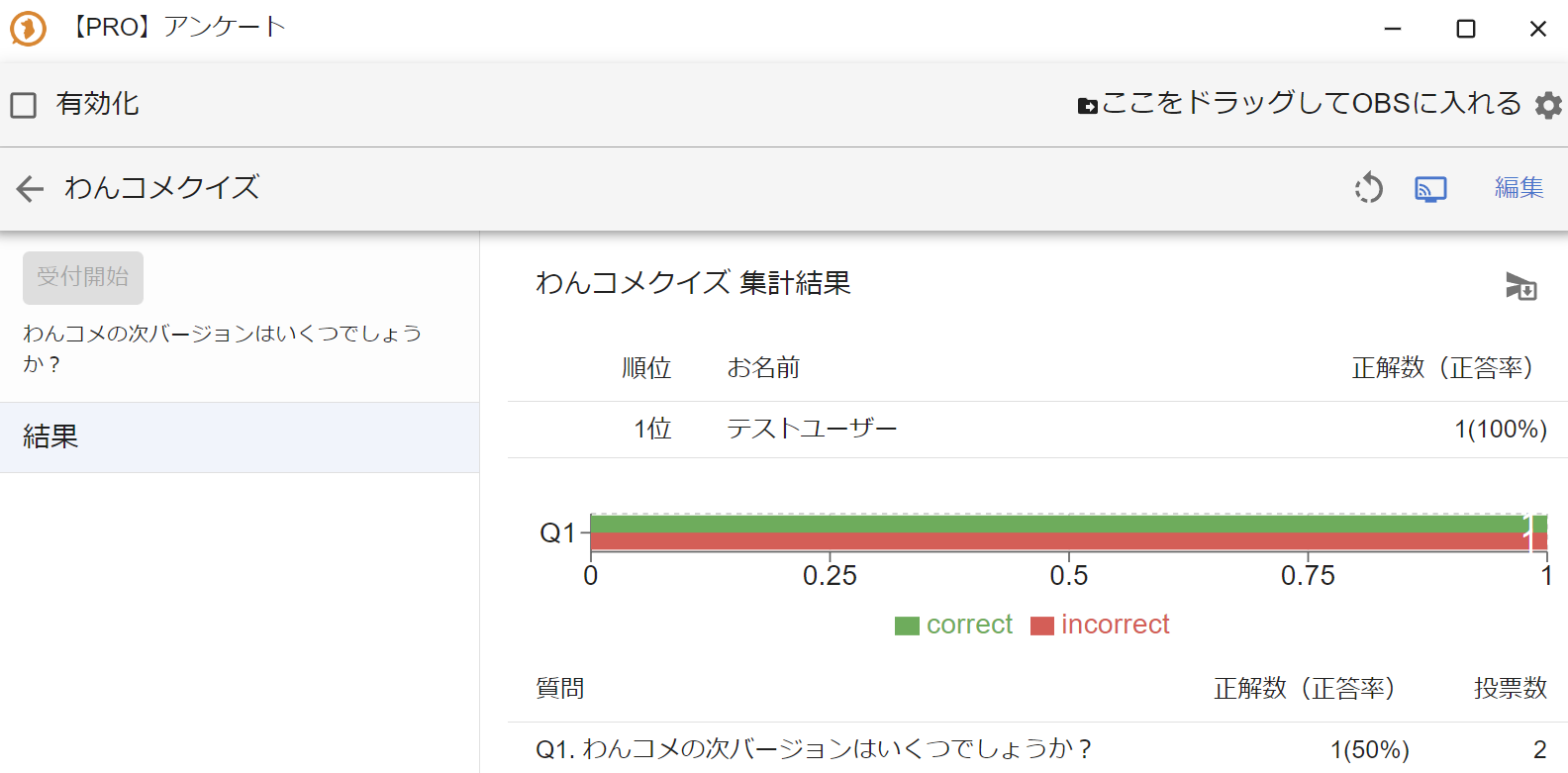 PRO] PollOneComme QuizStart acceptingWhat will be OneComme's next version?ResultDrag and Drop this into OBS sceneEditOneComme Quiz ResultsRankNameTestUserCorrect answers (accuracyDescription of pollQ1. What will be OneComme's next version?Correct answers (accuracyVotes
For request-style polls, there's also a feature to merge similar choices that differ only in wording
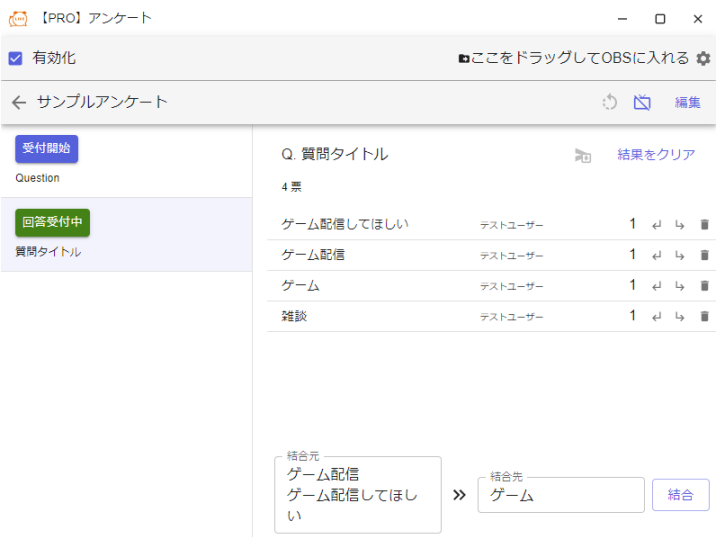 PRO] PollEnabledSample pollTitle of pollwaDrag and Drop this into OBS scene naEditQ. Question titlePlease stream gamesGame StreamGamesClear resultTestUserTestUserTestUserTestUserGame StreamPlease stream gamMerge toGamesMerge
Use it for game selection or predictions, or as a list of requests during a singing stream
WordParty gains exclusive effects and settings (4.2+)
PRO adds exclusive WordParty effects, settings for placing fixed objects that Drop items bounce off of, and settings for placing hit areas linked with VTube Studio
It also enables finer-grained conditions, such as triggering only on YouTube Reactions or Channel Points
Enhanced Speech and Sound Effects settings
Adds Speech and Sound Effects settings for specific conditions such as gifts, channel points, and first-time comments
Example of Speech Settings
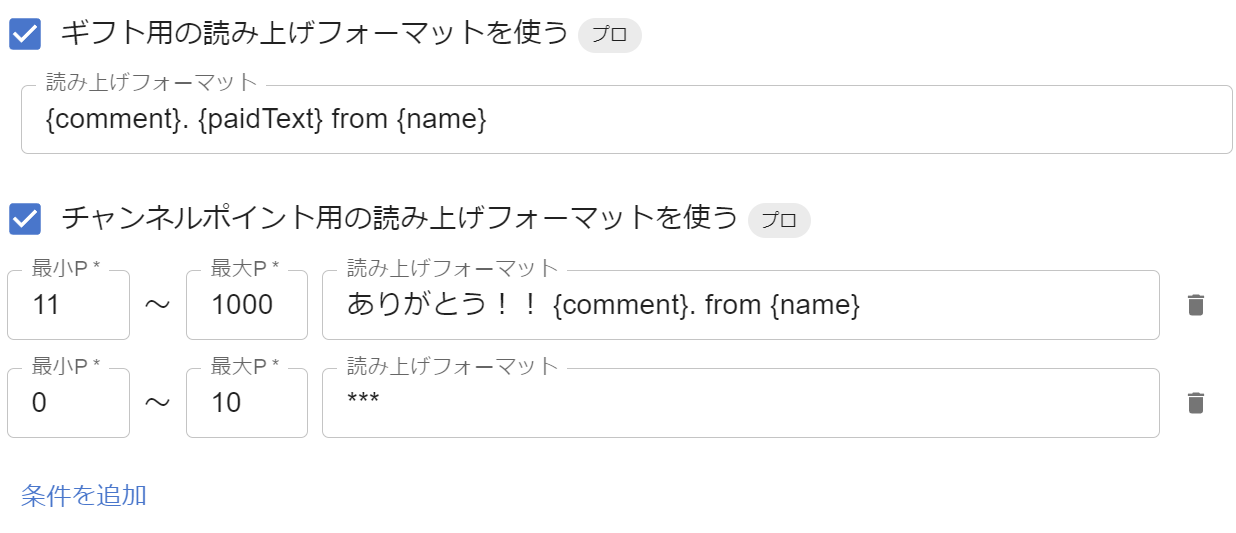 Syntax for speechUse Syntax for speech for Channel Points ProMin pointMin pointMax pointMax pointSyntax for speechThank you!! {comment}. from {name}Syntax for speechAdd conditions
Example of Sound Effects settings
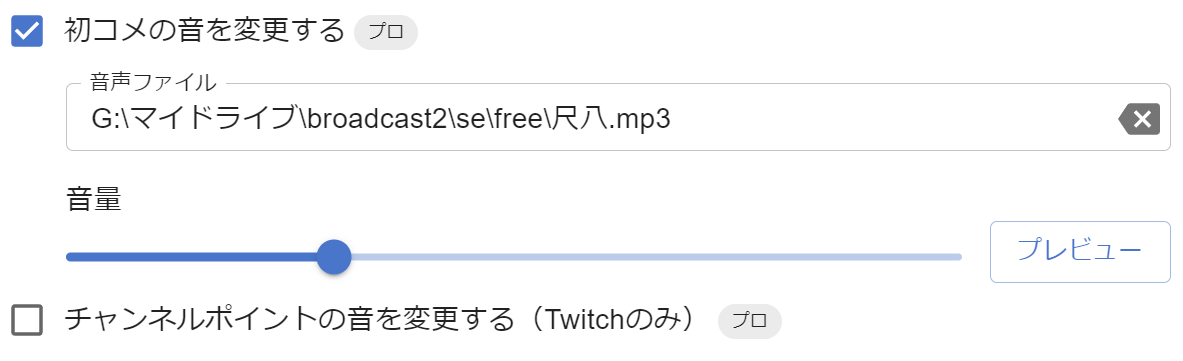 Audio fileVolumeChange Channel Points sound (Twitch onlyPROPreview
Removal of Comment analysis and Setlist limits
In the free version, comment analysis is limited to one search condition and up to 1,000 comments, but PRO removes these limits
Likewise, the free version allows only one Setlist, but PRO lets you create an unlimited number
Stocked comments feature to keep selected comments
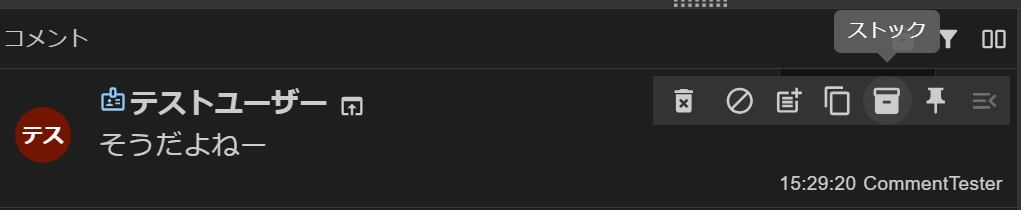 CommentsTesThat's rightStocked comments
Select and save (stock) useful or heartwarming comments from viewers
Stocked comments remain even after you close OneComme, making this ideal for looking back on them later
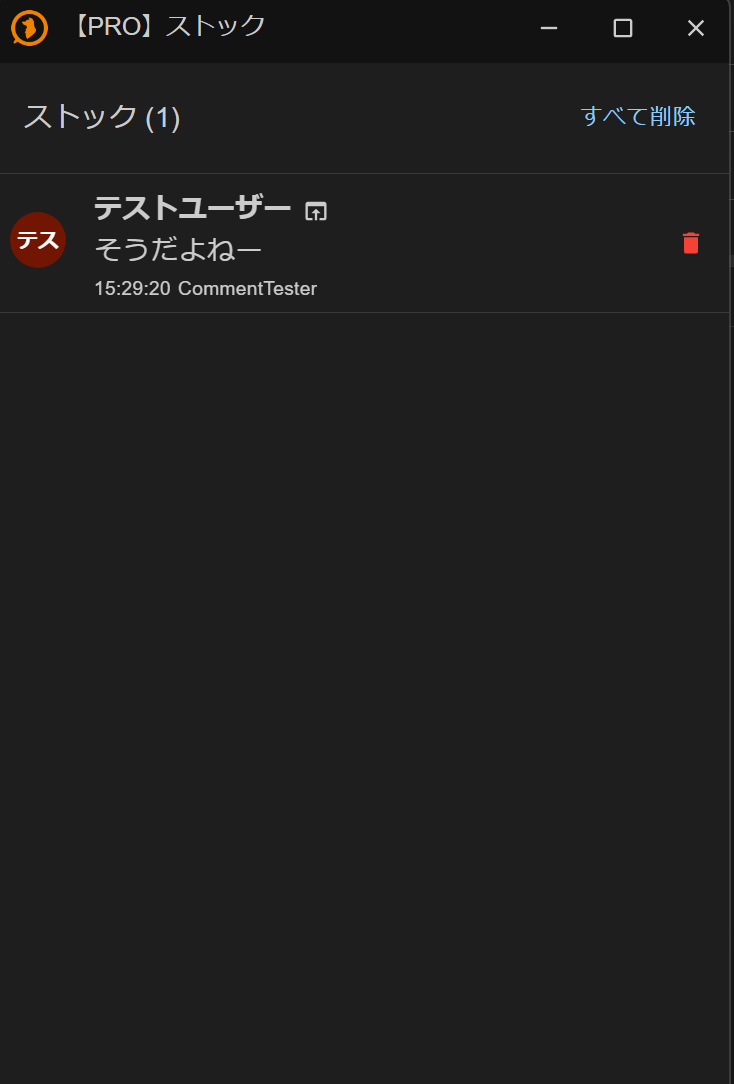 PRO] Stocked commentsTesThat's rightClear stock
Participation insights to visualize your viewer-participating system activity
Check statistics and participant lists from your viewer-participating system sessions
See how many people were able to participate this time, how many couldn't, and who did or didn't participate
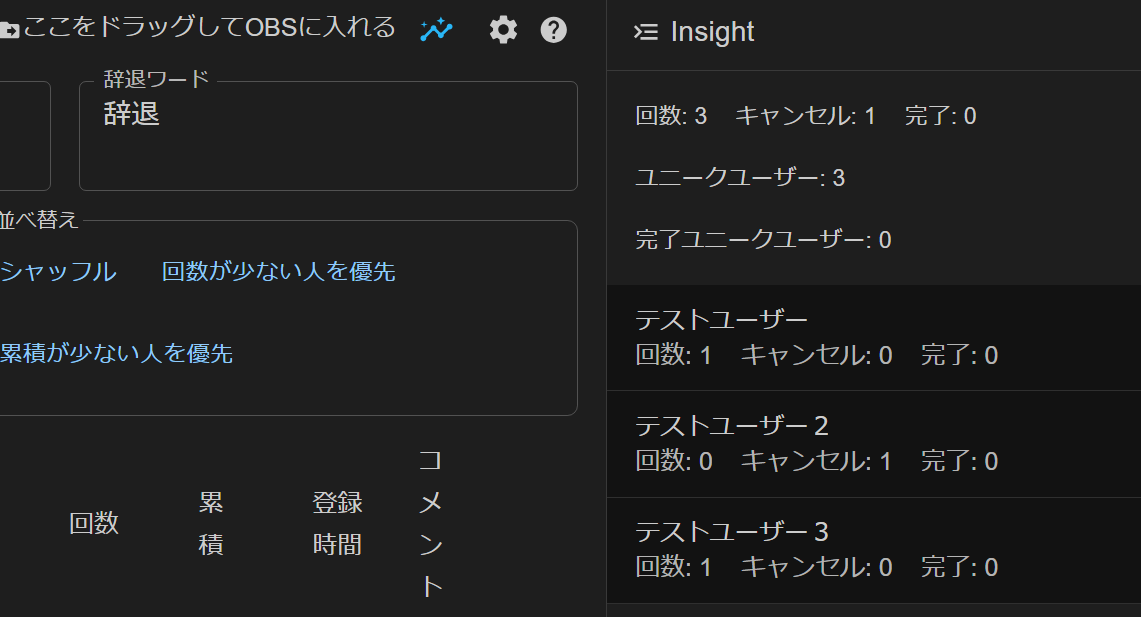 Drag and Drop this into OBS sceneKeyword for giving upDeclineShuffle and SortShuffleParticipation times low to highSort with cumulative times(low to high)TimesAddTimeCompleted: 0Unique users: 3Completed unique users: 0TestUserCompleted: 0TestUserTestUser
Feature to help create timestamps during YouTube streams
Use a tool that lets you create timestamps while streaming
Depending on your settings, you can also accept timestamps from users, letting moderators register key points to record in real time
If you already know your schedule in advance, create a Talk Script to insert timestamps in real time with a single button press
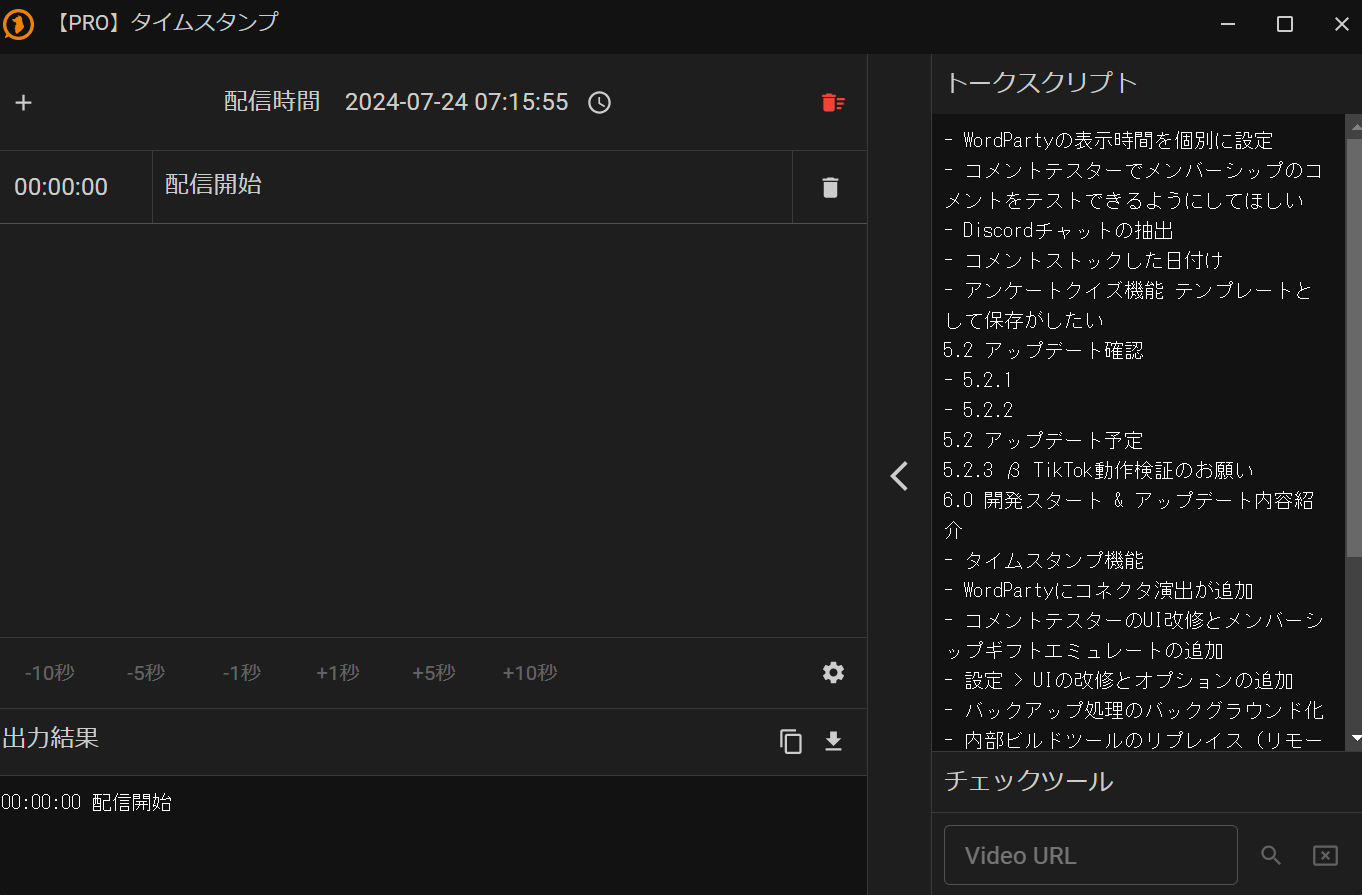 PRO] TimestampsStreaming timeOutput ResultTalk ScriptWant to test membership comments in Dummy CommenterDate comment was stockedWant to save Poll Quiz feature as a templateCheck 5.2 update5.2 update schedule6.0 dev start & update summaryConnector effect added to WordPartyAdded gift emulationMade Backup process run in backgroundReplace internal build tools (remoCheck Tool
StreamDeck plugin
Use the StreamDeck plugin to run various OneComme features directly from buttons or dials
Send reactions, trigger WordParty, and operate the viewer-participating system or Setlist with a single touch, streamlining your operations while streaming
Download the latest plugin from the FANBOX StreamDeck tag list
Comment translation
Use automatic comment translation powered by the Chrome browser
Since it doesn't rely on external network requests, it's somewhat more resource-intensive, but you can use it without limits and without worrying about usage fees
How to upgrade to PRO
Open "License" from the "..." menu in the top right of OneComme, and authenticate with FANBOX to start using PRO immediately without entering a key (recommended)
You can also continue to register by entering a License Key as before
For details, see "How to get a license"