
What is OneComme?
OneComme is a Windows/MacOS application built around the ability to fetch comments from multiple streaming platforms, providing convenient streaming features — speech, display, on-screen effects, viewer participation management, and more — in a simple and easy-to-use way
Development of this application is sustained through support on FANBOX
If you support a PRO-eligible plan on FANBOX, you can start using PRO right away just by authenticating in the app, with no key entry required (How to get a license)

Comments from multiple streams and different platforms as if they were one

You can fetch comments from multiple streams, even across different platforms, at the same time
This works not only for a single streamer running a multi-stream, but also for viewing comments from a collab partner's stream at the same time
An easy-to-read interface
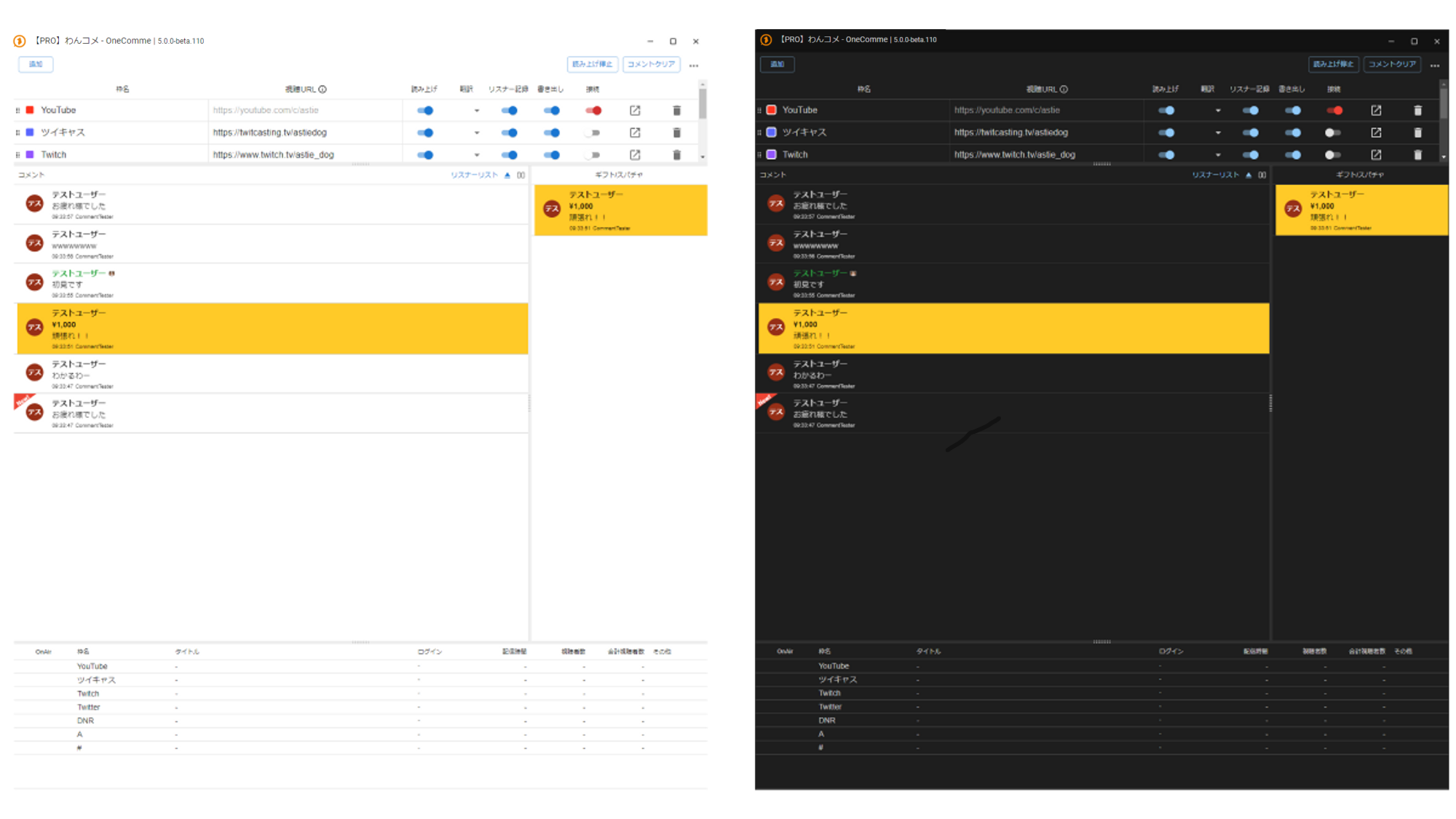 Stream NameTestUserTestUserTestUserTestUserTestUserClear commentsPersistStream NameClear commentsTwitCastingTwitchCommentsTestUserI get itTest YuriPersistGift/SuperChatTitle
A simple design with dark theme support
Regular comments are shown as usual, while gift-related comments such as Super Chat and Bits are pinned to a separate column, so you can look back at just the gifts
On some platforms, free and paid gifts can be viewed separately as well
Simple speech feature
 Whoa, too cute!
OneComme includes a simple speech feature using the speech synthesis engines built into Windows/MacOS
You can adjust speech speed and pitch, and set up a dictionary and reading of the author name, among other things
On Windows, you can also choose the built-in SAPI5 as the text-to-speech engine (no connection required). You can also integrate with VOICEVOX, COEIROINK, AivisSpeech, BouyomiChan, or YUKARINETTE CONNECTOR NEO to have comments read aloud through those speech synthesis tools
[PRO] There is also a feature that transliterates comments containing mixed English into katakana before reading them aloud (only when the app's display language is Japanese; not supported on Intel Macs) For details, see "Speech Settings"
Easy comment display with Templates
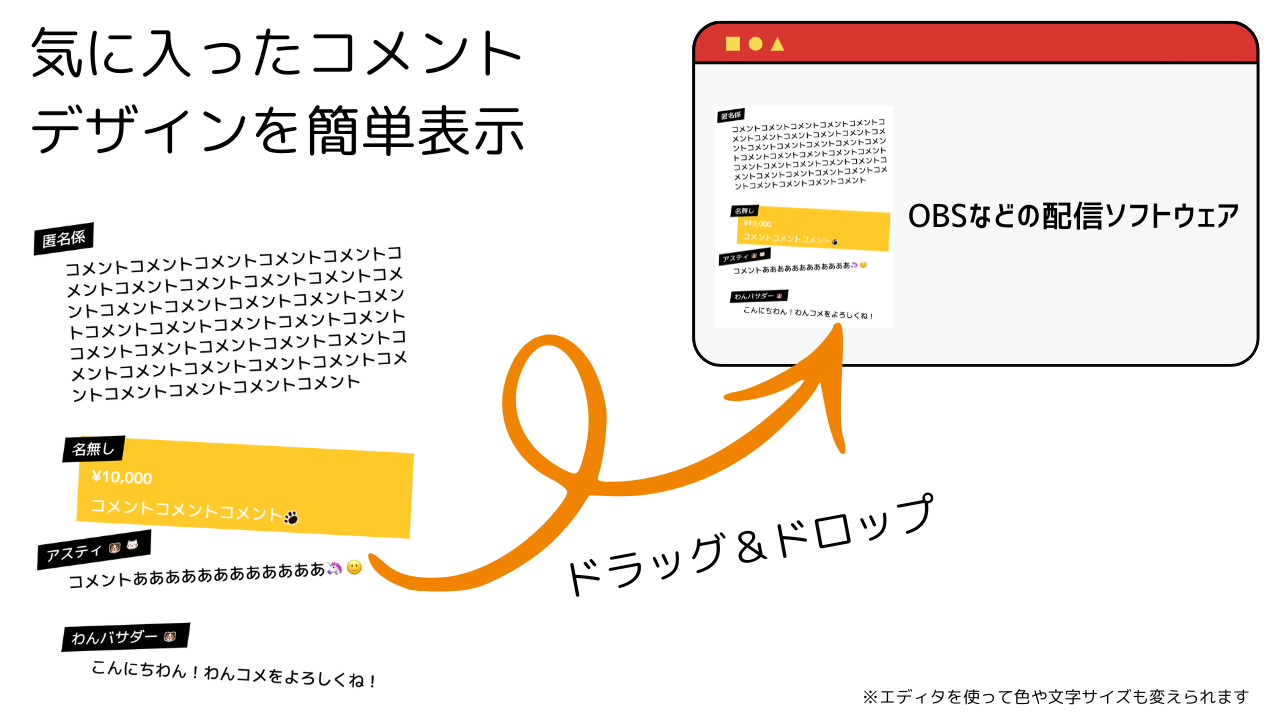 Favorite commentsEasy design previewCommentCommentCommentCommentCommentCommentCommentCommentCommentCommentCommentCommentCommentCommentCommentCommentCommentCommentCommentCommentCommentCommentCommentCommentCommentCommentCommentCommentCommentCommentCommentCommentCommentCommentCommentCommentCommentCommentCommentCommentCommentCommentCommentCommentCommentCommentCommentCommentCommentCommentCommentCommentCommentCommentCommentCommentCommentCommentCommentCommentCommentCommentCommentCommentCommentCommentCommentCommentCommentCommentAnonymousCommentsCommentsCommentsCommentaaaaaaaaaaaaaaaaaameCommentCommentCommenTHi-wan! Enjoy OneCommeStreaming software like OBSDrag & DropHi-wan! Enjoy OneCommeChange colors and font size in editor
You can easily display comments from multiple platforms in your streaming software using a shared template
There is a wide selection of Templates, and you can further customize them with the online editor, so you can adjust them to match your own stream layout without any programming or CSS knowledge
Manage commenting viewers in a list
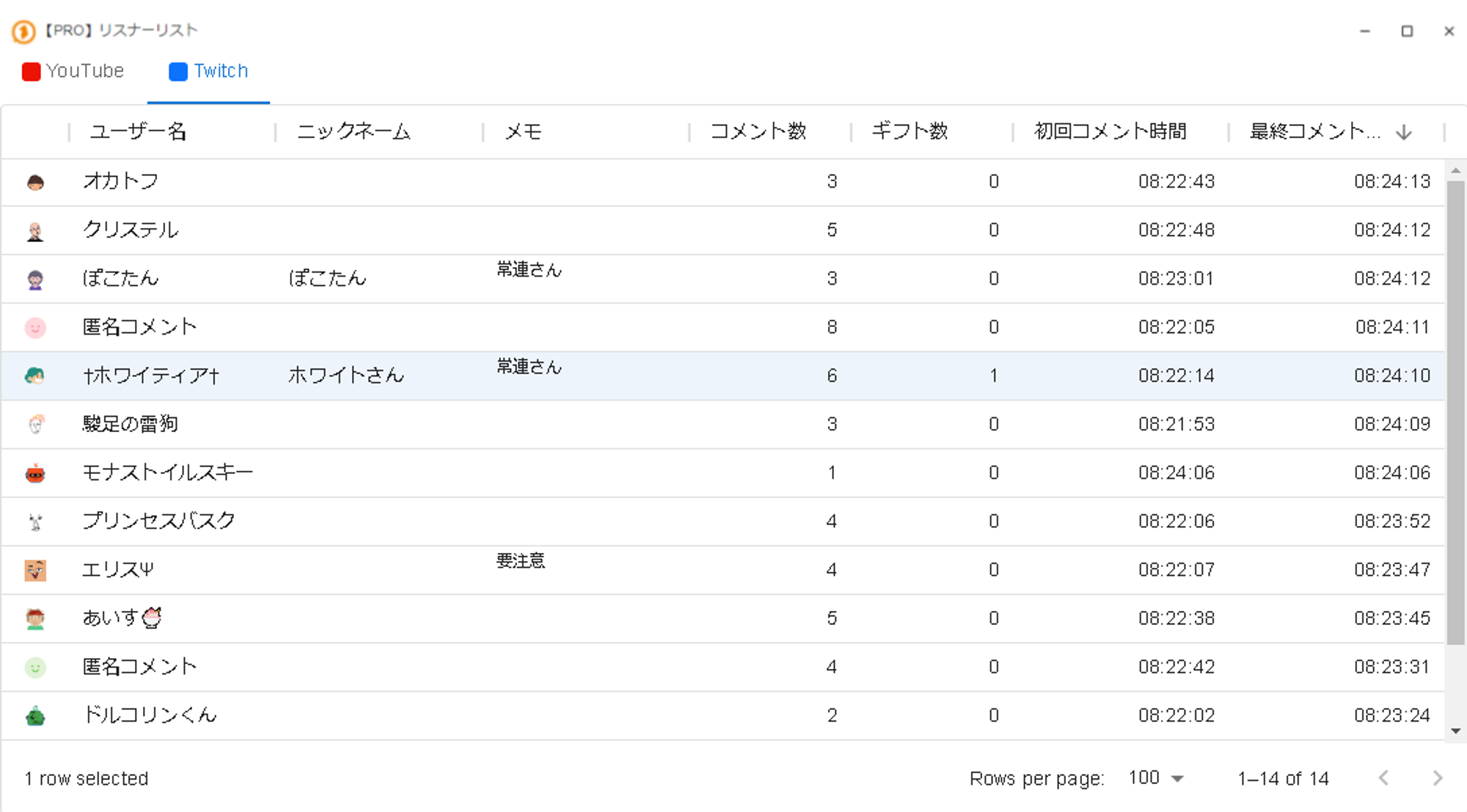 PRO] CommentersTwitchUsernameOkatofuChristelPokotanAnonymousCommentsWhitianaSwift RaikuMonastoirskiPrincess PasqueAisuAnonymousCommentsDorukorin-kunNicknamePokotanNotesRegularCautionComments CountGifts CountFirst Comment Time
You can keep track of things like total comment count and the time of the last comment for each viewer
You can record a nickname or note for each viewer, which helps prevent misreading names that are hard to read
Keeping a game account ID in the note is also handy for viewer-participation streams and similar formats
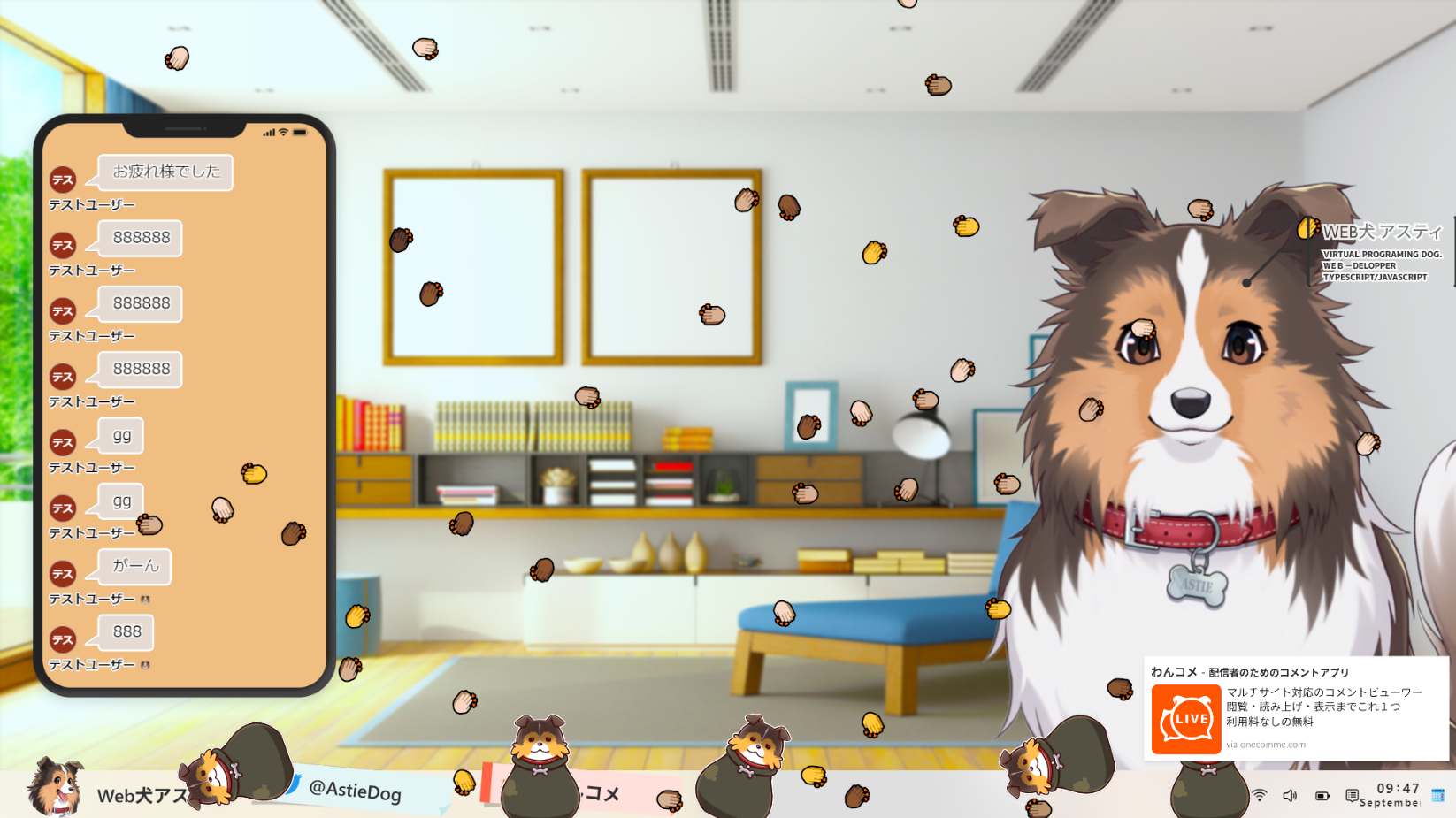
On-screen effects triggered by comments
 OneComme - Comment app for streamersMulti-site comment viewerFree, no feesWeb Dog Asu
Adding a template called WordParty lets you trigger an on-screen effect whenever a comment contains a specified word
You can customize the effect by choosing from several patterns and simply filling in a form. Using original images instead of just emojis lets you add even more of your own personality
Translation integration
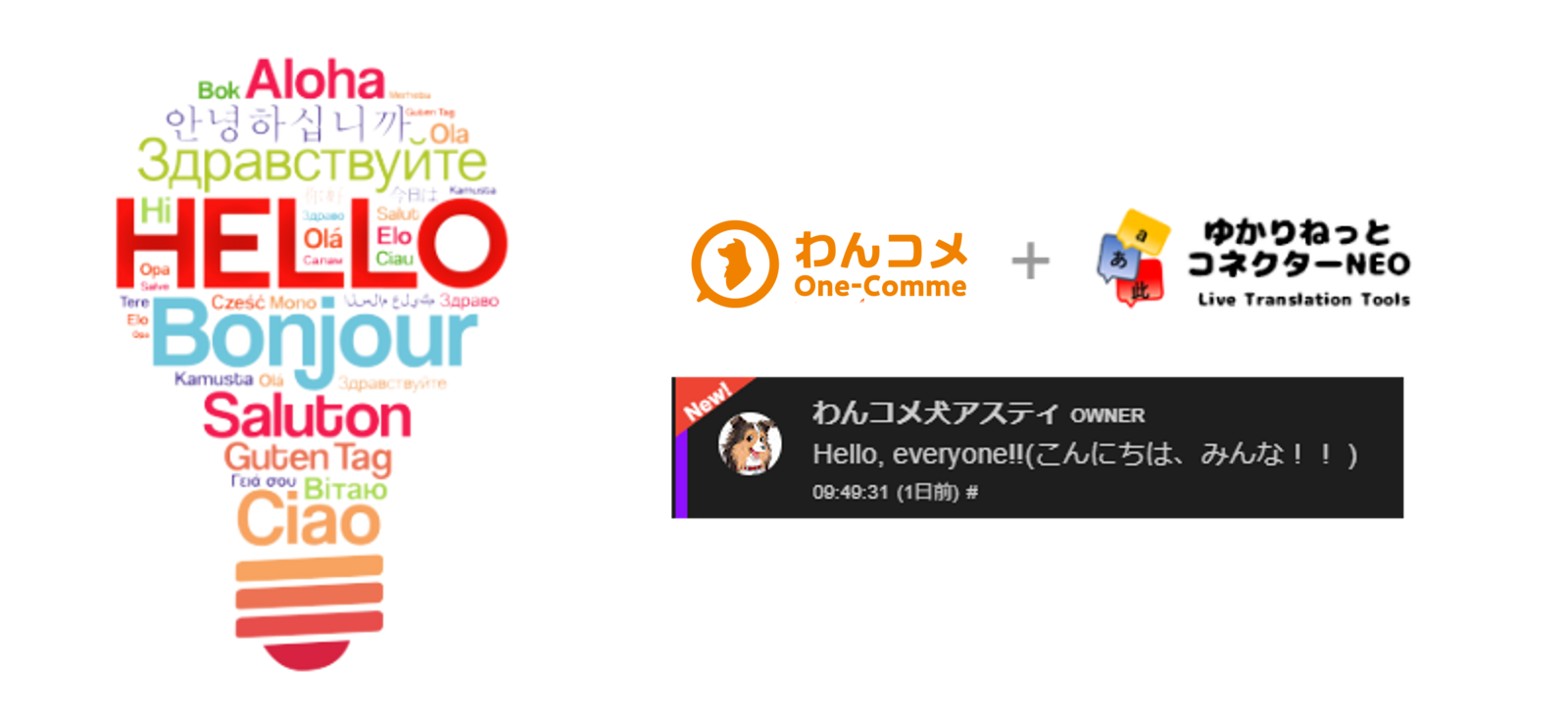 OneCommeOneComme Dog Asuti OWNERHello, everyone!! (Hi everyone
By integrating with YUKARINETTE CONNECTOR NEO, comments can be translated automatically or manually
Translation can be applied per stream, per user, or per comment, so you can control how many translations are used yourself, making it easy on the wallet as well
Also, starting from version 9.0, translation using the Chrome browser's translation API is now available as well
Viewer participation management
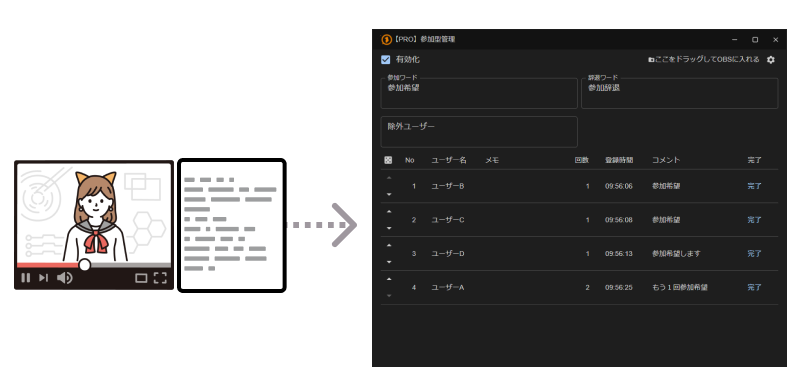 EnabledExcluded usersUsernameUsernameUsernameUsernameNotesDrag and Drop this into OBS sceneCommentsHope to joiningCompleteComplete
OneComme also includes a queue management feature that uses comments
Viewers can join the queue simply by commenting, with no need to be redirected to an external site or to register, and there are also text templates for streaming software so you can visualize the state of the queue
Automatic backup
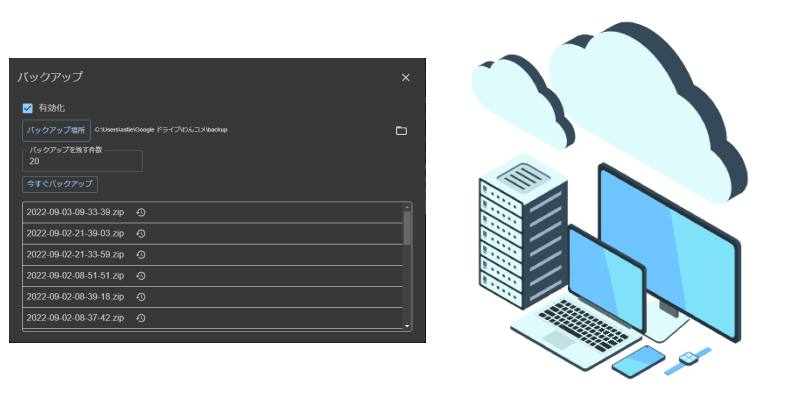 BackupBackup locationBackup now
Templates, settings, viewer information, streaming settings, and more are backed up automatically
Since the backup destination can be changed, you can also place backups on various cloud storage services
Restoring is as simple as selecting a file by its backup date and time from the app's screen
Before restoring, the contents are automatically validated; if there is a problem, the restore is canceled without changing the current data, and even if a replacement fails partway through, it is automatically rolled back to the original state, so you can restore with confidence
You can also reuse the same settings across multiple environments, or move them easily when migrating to a new PC
[PRO] Remote View
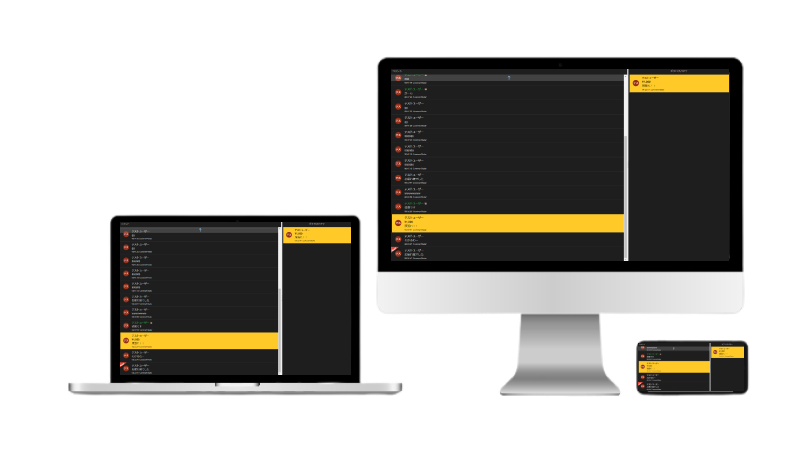
You can view comments fetched by the app in real time from a PC, smartphone, or tablet on the same network
Even in situations with limited monitor space, you can view and delete comments, and when integration is set up, you can also run comment translation
Streaming information such as the stream title and viewer count can also be shown on the Remote View side, so you can check your streaming status using just the device in your hand
[PRO] Poll
 EnabledSample pollTitle of pollwaDrag and Drop this into OBS scene naEditQ. Question titlePlease stream gamesGame StreamGamesClear resultTestUserTestUserTestUserTestUserGame StreamPlease stream gamMerge toGamesMerge
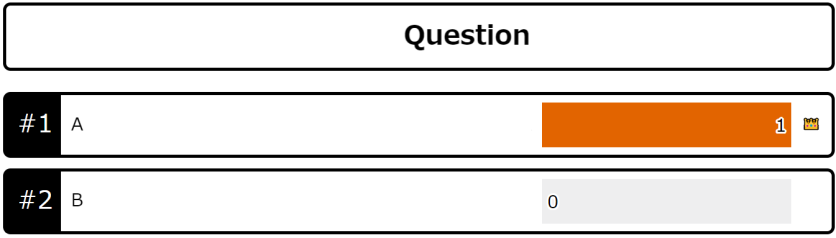
You can run polls that don't depend on any particular streaming platform
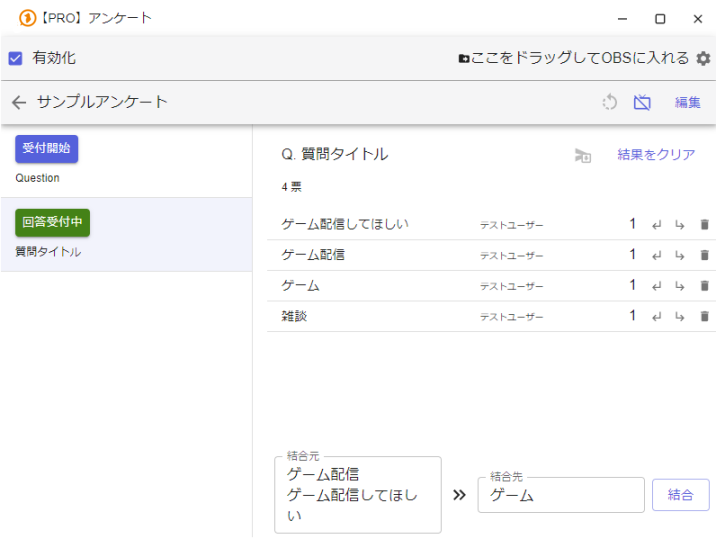
There are two types of polls: a choice-based type, where you prepare choices in advance for viewers to vote on, and a free-description type, where viewers can freely add their own choices before voting
Prepare your polls ahead of time, then just choose which question to accept during the stream! There's also a template for OBS, so you can share results with your viewers in real time
Third-party plugins and templates
OneComme provides APIs and an SDK for building third-party plugins and templates
Beyond what's built in, you can create and add all kinds of extensions and templates of your own
And many more useful features
You can also get sound effect notifications and keep comment logs to look back on, and since OneComme includes an API and a plugin system, it can be extended from outside the app as well
You can get started for free, so give it a try
Regular OneComme livestreams
The OneComme developers regularly share updates about the development status and new features directly on YouTubeSince development is still ongoing, requests made through chat during these streams are often adopted, making it more than a one-way source of information — it's a stream where your input can actually shape the app's features
We provide a user forum
We provide a user forum for reporting issues and for users to help and consult with each other
If you run into trouble, make use of the forum, where knowledgeable users are sure to be around
(Posts are also automatically shared to the OneComme Discord server)