
Comment log analysis
Use comment logs to restore what the comment section looked like at the time, and analyze and display things like comment volume.
Preparation --
Get comments while "Keep comment logs" under "Settings > Others" is checked.
If you open the analysis page without this checked, a warning is shown as below.
 PRO] AnalysisA Log output is not enabledEnabled
You can also enable "Keep comment logs" by clicking "Enable".
Running an analysis
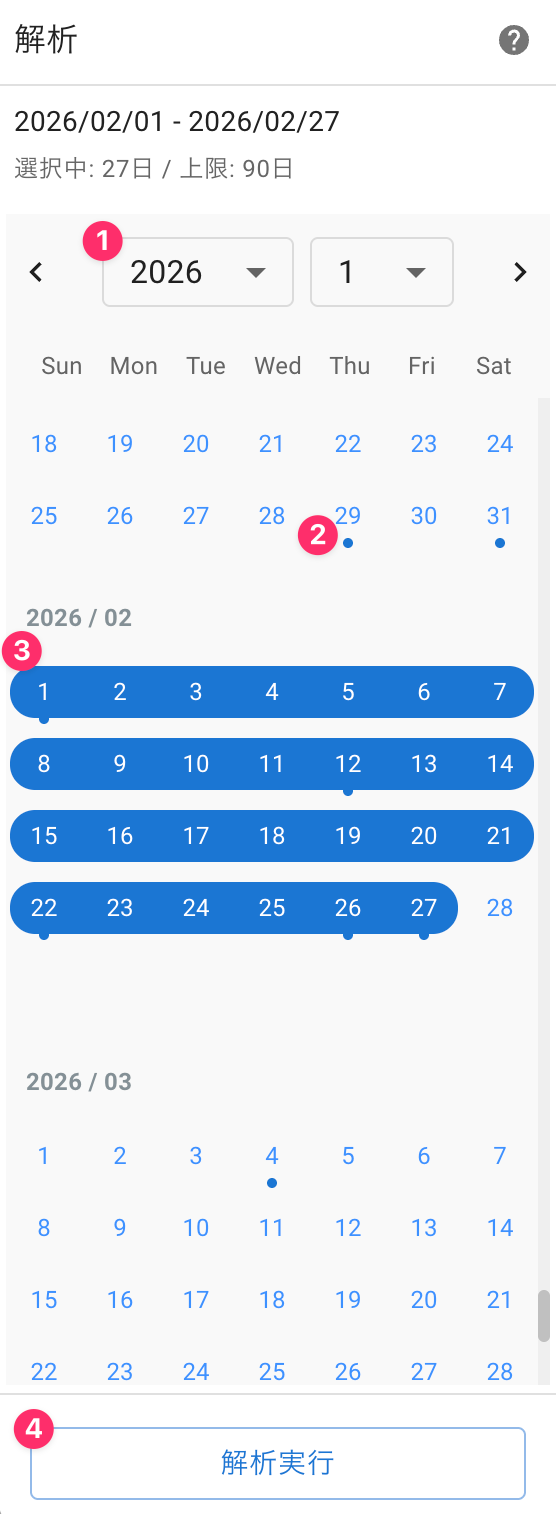
Select the date and time to analyze.
 AnalyticsAnalyze
| ① Year/month | Select the year and month shown on the calendar |
| ② Days with records | Dates with a blue dot have logs recorded |
| ③ Analysis period | Logs within the selected period will be analyzed |
| ④ Run analysis | Analyze comments for the specified period |
Reading the analysis results
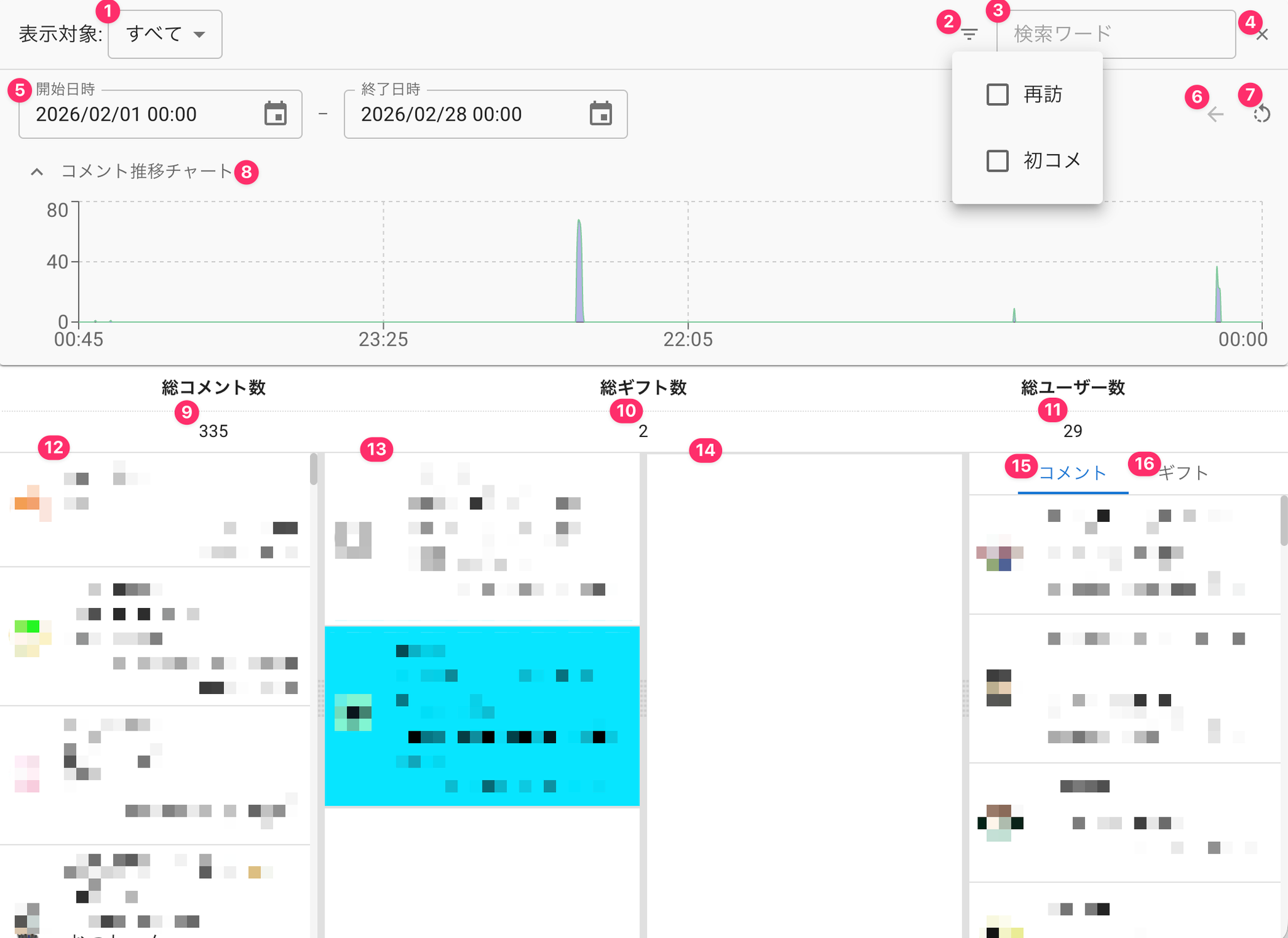
This is the results screen for comment logs matching the conditions.
 Target(s) to displayAllTotal Number Of CommentsEnd Date And TimeTotal Number Of GiftsRepeaterNewcomerTotal Number Of Users15 Comments
| ① Target(s) to display | When there are multiple streams, narrow results down by stream |
| ② Filter | Narrow results down to comments flagged as returning or first-time |
| ③ Search for... | Narrow results down to names or comments containing the specified word |
| ④ Clear search | Clear filter and search word conditions |
| ⑤ Start date/time - End date/time | Further narrow the analysis period by specifying a date and time |
| ⑥ Undo one narrowing step | Go back one step in the period narrowing |
| ⑦ Reset narrowing | Clear the period narrowing |
| ⑧ Comment trend chart | Check comment and gift volume over time. Drag to select a range and narrow down further to that period |
| ⑨ Total comments | Total comments within the condition period |
| ⑩ Total gifts | Total gift comments within the condition period |
| ⑪ Total users | Number of users who commented within the condition period |
| ⑫ Comment panel | All comments received within the condition period |
| ⑬ Gift panel | All gift comments received within the condition period |
| ⑭ Free gifts panel | All free gift comments received within the condition period |
| ⑮ Comment ranking | A ranking of users ordered by number of comments posted |
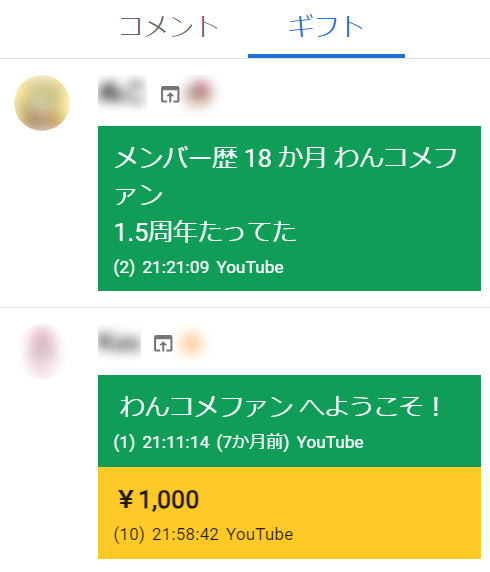
| ⑯ Gifts by user | Gifts grouped by user (see below) |
 CommentsGifts18mo member OneComme fAnIt's been 1.5 yearsWelcome OneComme fans
Limitations of the free version
- Period limited to 3 days (90 days on PRO)
- Up to 1000 comments can be analyzed at once (no limit on PRO)
※ A large number of comments can slow down analysis and use more memory
Excluding a specific stream from comment logging
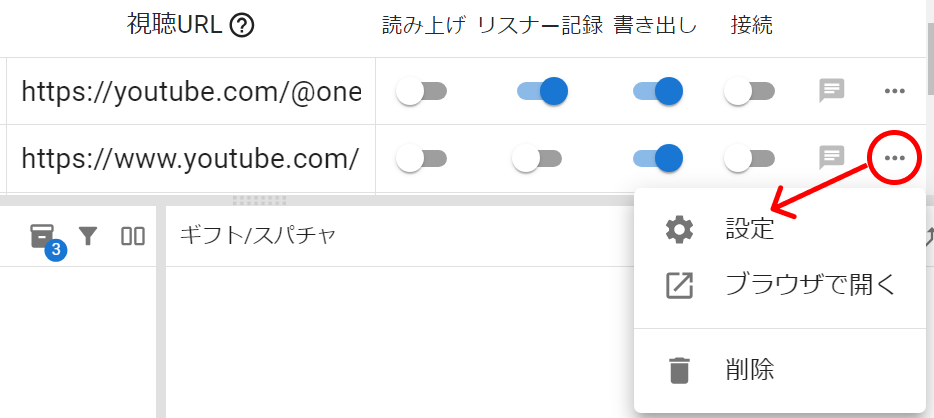
Click the "..." menu on the stream you don't want to keep comment logs for, and open "Settings".
 Stream URLGift/SuperChatSpeechPersistExportConnectSettingsOpen in web browserRemove
In the settings dialog that opens, uncheck "Keep comment logs" under "Log settings".
 Comments logKeep comment logs
Comment logs will no longer be output for the stream you configured this way.