Comment Settings
Adjust various aspects of comment display, such as username and icon.
App screen
Open the top-right menu > Settings > the "Comments" tab
Field descriptions
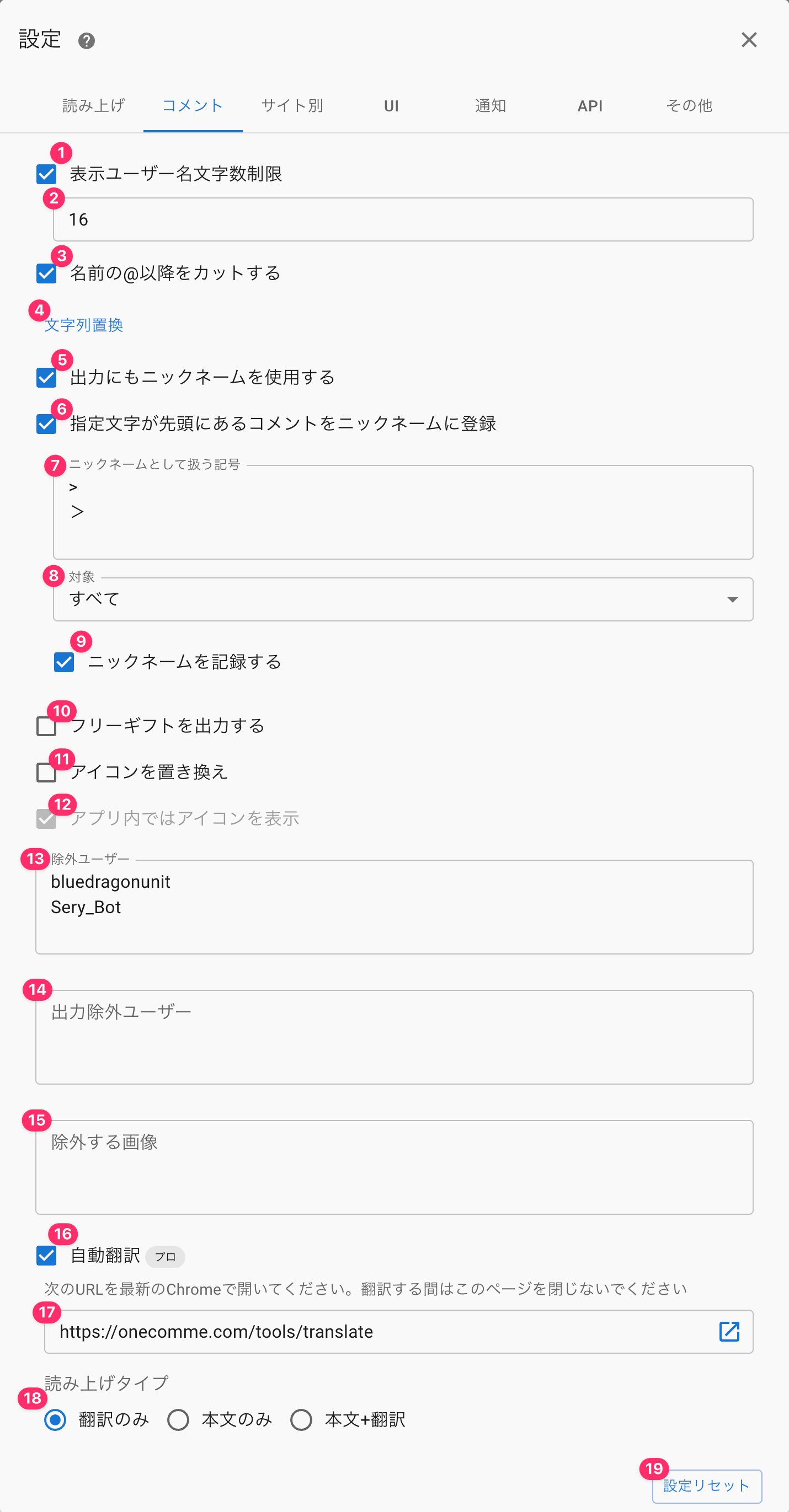 SettingsSpeechCommentsWebsite specificNotificationOthersUsername character display limitReplacementOutput nicknamesSet a nickname from a comment with prefix.Prefix for setting nicknamesAllSave nicknamesExport free giftsReplace IconsShow Icon in AppUsers not to be exportedImages to excludePlease Open The Following Url In The Latest Version Of Chrome. Do Not Close This Page While It Is Being Translated.18 Reading typeTranslated OnlyReset Settings
| ① Displayed username character limit | Truncates the username (comment author's name) shown in the app and templates to the specified number of characters |
| ② (Input field) | Specify the value for the displayed username character limit here |
| ③ Cut everything after @ in the name | Truncates the username (comment author's name) after the @ symbol when displaying it |
| ④ Text replacement | Opens the dictionary settings → Dictionary |
| ⑤ Use nickname for output too | Reflects the nickname display outside the app as well, such as in templates |
| ⑥ Register comments starting with a specified character as a nickname | Automatically registers a nickname when a comment begins with the specified character |
| ⑦ Symbols treated as nicknames | Replaces the nickname when a comment starting with the specified symbol is received |
| ⑧ Target | Lets you restrict the conditions under which self-registered nicknames can be used |
| ⑨ Record nicknames | Saves registered nicknames to the database If disabled, nicknames revert once the stream ends ※ Anonymous users are not saved to the database |
| ⑩ Output free gifts | Outputs free gifts to templates |
| ⑪ Replace icons | Automatically replaces the user's (comment author's) icon with a text icon (the first two characters of the username are used as the icon text) |
| ⑫ Show original icons within the app | Even when "Replace icons" is enabled, displays the original icon (before replacement) within the app |
| ⑬ Excluded | Specify usernames (comment authors' names) to exclude from being imported as comments Using "*" as part of a username allows partial-match exclusion (e.g. Nightbot-*) |
| ⑭ Output-excluded users | Specify usernames whose comments should not be output to templates Enter one username per line |
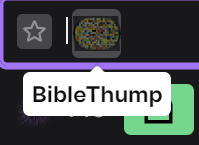
| ⑮ Excluded images | Specify image names to hide from comments Enter one image name per line for things such as YouTube membership icons or third-party emote image names (※1) |
| ⑯ Machine Translation | Translates comments in real time using a Chrome feature |
| ⑰ URL | Paste the displayed URL into Chrome, or click the icon on the right to open it in your browser, to bring up the translation page (see the comment translation page for details) |
| ⑱ Reading type | Selects what to read aloud when a translated comment is received |
| ⑲ Reset Settings | Restores the "Comments" settings to their default values Text replacement settings are preserved |
※1 The image name on Twitch (the string shown when entered in the chat input field)